

Best All-in-One AI Tools in 2026 (Compared & Ranked)
The best all-in-one AI tools combine strong model access, useful features, and good value for writing, research, image, video, and everyday tasks.
The best all-in-one AI tool in 2026 is Krater.ai, which combines 350+ models across chat, image, video, voice, and code in one workspace with one credit pool. Poe, Abacus ChatLLM, Monica, Manus, and 1min.AI are the strongest alternatives, each with a different focus. This guide compares and ranks all six.
Key Takeaways
- All-in-one AI tools bundle chat, image, video, and voice into one subscription
- Model breadth and freshness separate the leaders from the rest - stale lineups are the most common failure
- One shared credit pool beats per-feature quotas for mixed workloads
- A single tool typically replaces $60-80/month of separate AI subscriptions
- Test with a real project, not a benchmark prompt, before committing
What Makes an All-in-One AI Tool Good
- Wide model selection (not just one provider)
- Coverage of chat, image, video, and voice in one app
- One shared credit pool instead of per-feature quotas
- Fast onboarding for new models when they launch
- Reliable performance and clear UX
The Best All-in-One AI Tools in 2026, Ranked
- Krater.ai - best overall: 350+ models, every modality, one credit pool
- Poe - biggest bot catalogue for chat-first users
- Abacus ChatLLM - best for agent-style task automation
- Monica - best browser-extension assistant
- Manus - best autonomous agent for hands-off tasks
- 1min.AI - broad feature menu, budget entry point
1. Krater.ai - Best Overall
Krater.ai is the most complete all-in-one AI workspace available in 2026. It bundles 350+ models - GPT-5.5, Claude Opus 4.6, Gemini 3.1 Pro, Grok, DeepSeek, Flux, Seedream, Veo, Kling, Sora, Suno, and ElevenLabs-grade voice - behind one interface and one credit pool. Beyond generation, it includes sandboxed code execution, document and slide creation, web search with citations, transcription, AI detection and humanizing, and cloud storage for everything you make.
Strengths: unmatched model breadth; new models typically land within days of release; one credit pool covers every modality; an auto-router picks the right model when you don't want to choose; API access at api.krater.ai for developers.
Weaknesses: no free tier - plans start at Pro ($20/month with 1,500 credits); the sheer number of models can feel like a lot at first, though the auto-router and curated defaults hide that complexity until you want it.
Best for: anyone whose AI use spans more than one format - writing plus images, video plus voice, research plus code - and who wants to stop managing a stack of subscriptions.
2. Poe - Large Bot Catalogue, With Chat-First Limits
Poe, built by Quora, aggregates an enormous catalogue of official model bots - GPT-5.4, Claude Opus 4.6, Gemini 3.1 Pro, Grok, plus media bots like Veo 3.1, Sora 2 Pro, FLUX, Kling, Runway, and ElevenLabs - behind a points-based subscription. Users can also build and monetize their own bots. For the fuller comparison, read our Cabina AI alternative comparison.
Strengths: huge model selection with fast onboarding of new releases; one subscription covers text, image, and video bots; strong community bot ecosystem.
Weaknesses: it is a chat window, not a workspace - no code execution, document editing, or project file storage; the compute-points system makes heavy image and video use hard to predict; each bot is a separate conversation rather than one continuous flow.
Best for: chat-first power users who want to sample many models and don't need creation tooling around them.
3. Abacus ChatLLM - Strong Agent Automation, With a Steeper Learning Curve
Abacus.AI's ChatLLM gives professionals one assistant with access to 100+ top models (GPT, Claude, Gemini, DeepSeek, Grok, and its own Smaug), plus image and video generation, an AI agent that can build apps and presentations, deep research, text-to-speech, and humanizer tools. We cover the same trade offs in our Manus alternative guide.
Strengths: strong agentic features - building full-stack apps and slide decks from prompts; broad model access at aggressive pricing.
Weaknesses: the interface is engineering-flavored and busier than consumer-focused rivals; the model catalogue is smaller than the leaders; its enterprise heritage shows in the learning curve.
Best for: technical professionals who want an agent that executes multi-step tasks, not just a chat companion.
4. Monica - Useful Browser Assistant, With a Thinner Workspace
Monica is a polished AI assistant that lives primarily in a browser extension (Chrome and Edge), with desktop and mobile apps. It offers GPT-5.5, Claude, and Gemini for chat, plus image generation, Sora 2 video, PDF tools, and a large set of one-click utilities (translator, summarizer, math solver).
Strengths: excellent in-browser workflow - summarize or translate any page in place; broad toolkit of small utilities.
Weaknesses: the extension-first design means the workspace experience is thinner than a dedicated platform; daily usage caps on advanced models; no code execution environment; heavier tasks push you toward its higher-priced tiers quickly.
Best for: people who mostly want AI assistance layered over their browsing and reading, rather than a full creation workspace.
5. Manus - Hands-Off Agent, Not a Model Picker
Manus (now part of Meta) is an autonomous AI agent rather than a model workspace: you hand it a goal - build a website, create a slide deck, run wide research, operate a browser - and it executes multi-step work on its own. It includes AI design, image and music generation, and integrations like Slack and mail. If you are weighing similar tools, see our Skywork alternative comparison.
Strengths: genuinely hands-off execution of complex tasks; strong slides, website, and design outputs; Meta's backing means rapid development.
Weaknesses: it is not a model picker - you don't choose between GPT, Claude, or Gemini; credit consumption on long agent runs is substantial; less suited to quick everyday chat, image, or video generation.
Best for: delegating whole tasks to an agent rather than working alongside AI in a workspace.
6. 1min.AI - Broad Feature Menu, With Credit Limits
1min.AI packages chat, writing, image, audio, and video features behind a credit system with low-cost paid plans. It aggregates models from OpenAI, Anthropic, Google, and others, and offers a large menu of purpose-built mini-tools (background remover, image upscaler, text remover).
Strengths: very low barrier to entry; genuinely broad feature menu; credits work across features.
Weaknesses: credit allowances on cheap plans run out fast on image and video work; the interface is a collection of separate tools rather than one continuous workspace; model versions lag the frontier more often than the leaders.
Best for: first-time users who want to explore many AI capabilities cheaply before committing to a serious workflow.
All-in-One AI Tools for Writing, Research, and Chat
For writing and research, the platform you pick should include the leading text models - GPT-5.5, Claude Opus 4.6, Gemini 3.1 Pro, and Grok - and let you switch between them easily. A built-in document editor and web search with citations make a real difference for research-heavy work. Krater.ai and Poe are strongest here: Krater for breadth plus document tooling and cited web search, Poe for sheer chat-model variety. Monica is the pick if most of your reading happens in the browser.
All-in-One AI Tools for Images, Video, and Voice
For image work, look for Flux and Seedream support, plus image editing. For video, Veo, Kling, and Sora are the current quality leaders. For voice, ElevenLabs-grade synthesis and voice cloning are the bar to meet. Krater.ai covers all three categories at frontier level; Poe exposes the same media models as separate bots; Abacus and 1min.AI cover image and video with thinner audio. Check which model versions a platform actually ships - "video generation" on an older model is a very different product than Veo or Kling access. Related reading: our Galaxy AI alternative comparison.
Read more about AI platforms for image, video, writing, and voice.
Best All-in-One AI Tools: Side-by-Side Comparison
| Tool | Models | Image | Video | Voice/Audio | Code Execution | One Credit Pool | Verdict, with Krater comparison |
|---|---|---|---|---|---|---|---|
| Krater.ai | 350+ | Yes (Flux, Seedream, GPT Image) | Yes (Veo, Kling, Sora) | Yes (TTS, music, cloning) | Yes (sandbox) | Yes | Krater is the most complete bundle and overall pick |
| Poe | Very large bot catalogue | Yes (FLUX, Ideogram) | Yes (Veo 3.1, Sora 2 Pro, Kling) | Yes (ElevenLabs bots) | No | Points system | Krater wins for a full workspace; Poe wins for chat-model variety |
| Abacus ChatLLM | 100+ | Yes (Nano Banana Pro, GPT Image) | Yes | Yes (TTS) | Agent builds apps | Not specified | Krater wins for breadth; Abacus wins for agentic automation |
| Monica | GPT-5.5, Claude, Gemini | Yes | Yes (Sora 2) | Yes (podcast, TTS) | No in-app | Usage caps per tier | Krater wins for multimodal work; Monica wins for browser assistance |
| Manus | Agent-managed (no picker) | Yes | Not publicly specified | Yes (music) | Agent executes tasks | Credits | Krater wins for model choice; Manus wins for hands-off execution |
| 1min.AI | Multiple providers | Yes | Yes | Yes | No | Yes (credits) | Krater wins for premium breadth; 1min.AI offers a broad but capped menu |
Most of these tools handle two or three formats well; very few cover the full creator and professional stack with the latest models. When choosing, focus on whether the platform actually keeps up with new model releases - outdated model lists are the most common reason all-in-one tools fall behind.
How to Compare All-in-One AI Tools
- Number and quality of models included
- Coverage of chat, image, video, voice, search
- Monthly cost vs separate subscriptions
- How quickly new models are added
- Quality of the workspace UI
Read more about Krater.ai vs using multiple AI tools.
The Hidden Cost of Switching Tools Mid-Project
Beyond raw subscription cost, every tool switch carries a hidden tax: re-authenticating, re-uploading reference files, re-explaining context to a new model, and re-rendering at the right resolution. Studies on knowledge work consistently put the cost of an interruption at roughly 15-25 minutes of recovered focus. For creators and analysts working across multiple AI formats, those interruptions can add up to several hours per week. An all-in-one tool removes most of those switches by keeping context, files, and credits in one place.
What "Best" Actually Means
There is no single best all-in-one AI tool for every person because "best" depends on workload. For a writer who occasionally generates an image, a writing-first tool may suffice. For a video-heavy creator, a platform that prioritizes Veo, Kling, and Sora matters more. The right way to evaluate is to list the formats you actually use weekly, then check each contender against that list. Most users discover they need at least four formats, which narrows the field quickly - and is why the ranking above weighs breadth so heavily.
Common Pitfalls to Watch For
- Stale model lineups. Tools that still feature DALL·E 2 or GPT-3.5 prominently are several generations behind on quality.
- Hidden generation caps. Some "unlimited" plans throttle output quality after a soft limit.
- Watermarks on free tiers. Confirm export quality before committing.
- Single-vendor dependency. If a tool only ships OpenAI models, an OpenAI outage takes the whole platform down.
- No API access. If you ever need to integrate with your own apps, lacking a documented API is a hard ceiling.
How Krater.ai Compares on Each Pitfall
Krater.ai ships the latest models within days of release, has no hidden quality throttles, exports at full resolution without watermarks, runs on multiple model providers (so a single outage rarely affects users), and includes an api.krater.ai endpoint for developers. For creators and small teams, that combination is hard to beat at $20 per month.
Do You Still Need ChatGPT Plus?
The most common question from people considering an all-in-one tool is whether they can drop their existing single-model subscription. In most cases, yes: the leading all-in-one platforms include the same frontier models - often at the same or newer versions - through provider APIs. What you give up is early access to experimental consumer features that model vendors sometimes ship to their own apps first. What you gain is every competing model in the same window, so when one provider has a bad release cycle or an outage, your workflow doesn't stall. If your usage is heavy on a single vendor's niche features, keep that subscription; otherwise consolidation usually wins on both cost and capability.
Who Should Not Use an All-in-One AI Tool
Honesty matters in a comparison: all-in-one platforms are not the right fit for everyone. If you are a professional whose entire output depends on one specialist tool - a Midjourney artist with years of style tuning, or a developer fully invested in a specific vendor's coding agent - the specialist may still earn its separate subscription. Enterprises with strict vendor-approval processes may also prefer direct provider contracts. For the other 90% of users, whose AI needs span writing, images, research, and the occasional video or voice clip, a consolidated workspace is the more rational setup.
How AI Pricing Has Evolved Through 2026
The price-to-quality ratio of AI tools has improved dramatically over the past 24 months. In 2024, getting GPT-4-class quality required a $20 ChatGPT Plus subscription with strict message caps. In 2026, multiple platforms offer that quality plus image, video, and voice generation for the same price. The shift is driven by aggressive competition between model providers, falling inference costs, and a wave of all-in-one aggregators that consolidate access. For users, the practical effect is that paying for more than one or two AI subscriptions is rarely justified anymore. If you are weighing similar tools, see our UK guide to the top AI tools.
Total Cost of Ownership Math
A typical creator paying for ChatGPT Pro ($20), Midjourney ($10), Runway ($15), and ElevenLabs ($22) spends $67 per month - over $800 per year. Krater.ai Pro covers all four use cases for $20 per month, or $200 billed yearly. Over a single year, that is roughly $600 saved while gaining access to dozens of additional models the standalone tools do not include.
Why Model Variety Matters More Than Any Single Model
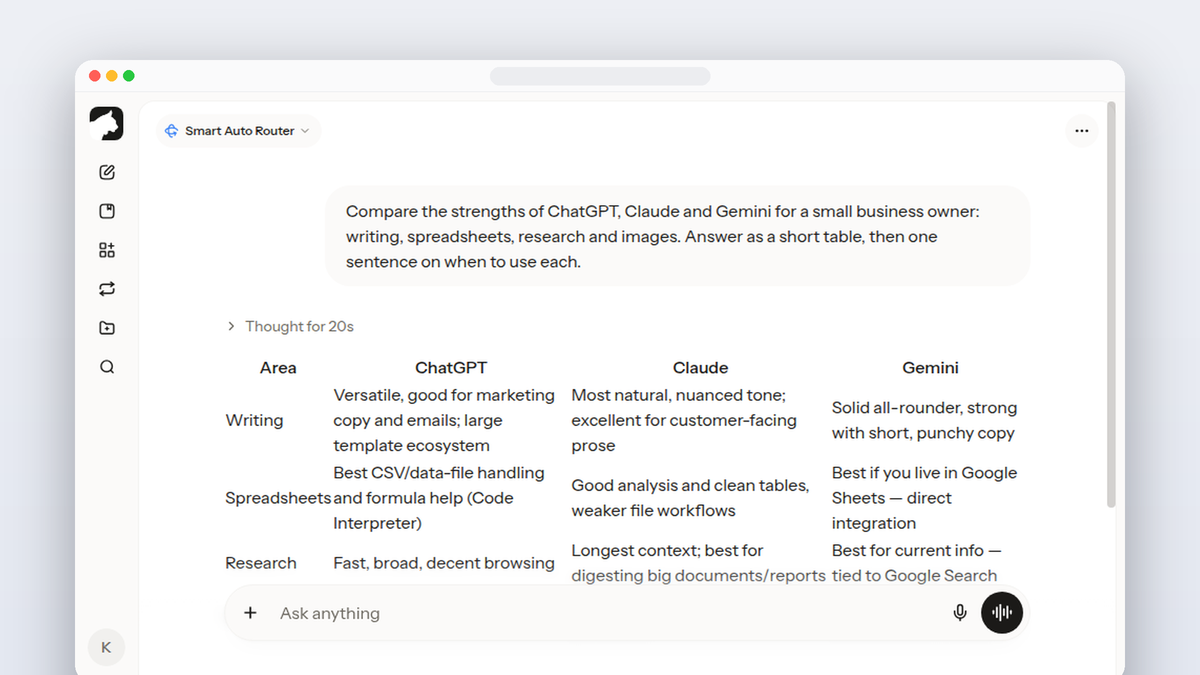
One of the strongest arguments for an all-in-one platform is that no single model is the best at every task. GPT-5.5 is excellent for general reasoning, Claude Opus 4.6 leads on long-context analysis and careful writing, Gemini 3.1 Pro is strong on math and code, and smaller cheap models are perfect for high-volume short tasks where speed matters more than depth. Single-vendor tools force you to use one model for every use case, which means accepting suboptimal output on tasks the model is not built for. A platform with 350+ models lets you pick the right tool for each job, often within the same conversation, and falls back to an auto-router for users who do not want to choose manually.
How to Evaluate an All-in-One AI Tool
- Model freshness. Are GPT-5.5, Claude Opus 4.6, Gemini 3.1 Pro, Veo, and Kling all available? If not, the platform is already behind.
- Credit pool design. One pool that covers every format is the simplest billing model and avoids stranded credits.
- UX consistency. Generating an image, then a video, then a voice clip should feel like one tool, not three glued together.
- Export quality. Look for full-resolution images, MP4 video, and high-bitrate audio - some platforms downsample to save bandwidth.
- Pricing transparency. Per-credit and per-generation costs should be visible before you generate.
Getting Started Without Wasting Credits
The fastest way to evaluate any AI platform is to bring a real project rather than a benchmark prompt. Use the platform for one full piece of work - a blog post with image, a short video with narration, a research summary with charts - and judge based on the finished output, not on how the platform answers "hello." Most platforms feel impressive on simple prompts and reveal their limits on real workloads. Plan a one-hour test run with a project you would otherwise do in your existing tools, and compare end-to-end time, output quality, and total cost.
Practical Tips for Daily Use
- Save prompt templates. Most platforms support saved prompts - use them for repetitive tasks like meeting summaries, social posts, and research briefs.
- Use the model picker. When auto-router output feels off, switching to a specific model is usually a one-click fix.
- Watch credit cost. Image and video models burn credits much faster than chat. Prototype with cheap models before committing to a final render.
- Keep a project Drive. Organize generated assets per project so you can find them later, especially when iterating across formats.
- Plan for review time. AI output still needs human review; budget the same time you would for editing a junior teammate's draft.
Further Reading
For independent context on the broader AI landscape, see McKinsey State of AI and Statista AI market data. Independent sources help separate marketing claims from real model capabilities and put pricing in context against the wider market.
FAQ
What is the best all-in-one AI?
Krater.ai is the best all-in-one AI tool in 2026 for most users, combining 350+ models across chat, image, video, voice, and code in one workspace with one credit pool, starting at $20 per month.
Are all-in-one AI platforms reliable?
Yes. Top all-in-one platforms include the same models you'd access through their dedicated apps, with similar uptime and quality.
How do I pick between platforms?
Compare model coverage, total monthly cost, credit allowance, and how often new models are added. Try a plan with a real project before committing.
Will all-in-one AI tools replace specialist tools entirely?
For most users, yes. Specialist tools remain useful for one or two narrow professional cases where the specialist genuinely outperforms.