

How to Create a Claude Skill (Step by Step, 2026)
Three ways to make a Claude skill - SKILL.md upload, Claude Code folders, record-a-skill - plus the one-prompt Krater method we tested with real screenshots.
What a skill is made of
A skill is a folder. The only required file is SKILL.md:
---
name: product-description-writer
description: Write Shopify product descriptions from a product name and supplied facts, using warm plain English without hype or invented specifications.
---

(the instructions go here, in markdown)
Two hard rules on the frontmatter: name is lowercase, max 64 characters (hyphens allowed), and must match the folder name. description is the most important line in the whole file - Claude reads it to decide whether to load the skill, so write it as what it does plus when to use it. You can also add scripts and reference files; Claude pulls them in only when needed (progressive disclosure).
Method 1: Build and upload on claude.ai
- Create a folder named after your skill, put SKILL.md inside.
- Write the body as a procedure: inputs, output structure, rules, edge cases. Be strict - "never invent specs" works, "be good" does not.
- ZIP the folder so the folder itself is the ZIP root.
- Upload it, then enable it under Customize > Skills.
- Test with several prompts, watch Claude's thinking, and iterate on the description until it triggers when you want.
Method 2: Claude Code
Put the folder at .claude/skills/<name>/SKILL.md in your project (or your personal config for all projects). It becomes a /name command and also auto-loads when relevant. Details in our Claude Code skills guide.
Method 3: Record a skill
On Pro, Max and Team, Claude for Mac's Cowork can watch you do a task for about 10 minutes and propose a skill from the recording - a proposal card appears with Save or Dismiss. Honest caveats: Mac only, Cowork only, not on Free or Enterprise, and not in regular chat.
Method 4: One prompt on Krater (tested)
Krater uses the same open SKILL.md standard, and its agent can write the file for you. Here is the exact prompt we used, verbatim:
Create a skill called product-description-writer. When I give it a product name and a few facts, it should write a Shopify product description: a 1-line hook, 3 benefit bullets, a short specs list, and a closing line. Tone: warm, plain English, no hype words like revolutionary or game-changing. Never invent specs I did not give you.
Krater drafted the full SKILL.md and showed it in an approval card before anything was created:
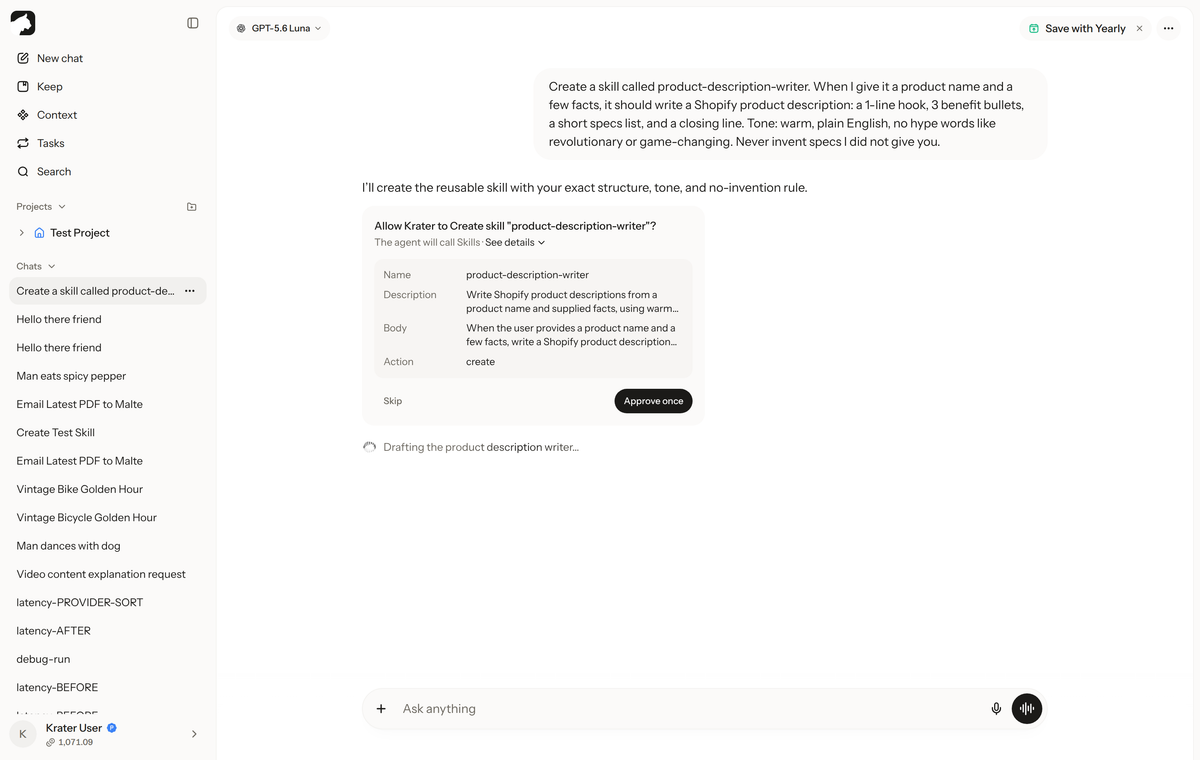
After Approve: "Created and activated" - 39 seconds, about 2.5 credits. Then in a fresh chat, we gave it a product name and facts. The transcript shows it applying the skill:
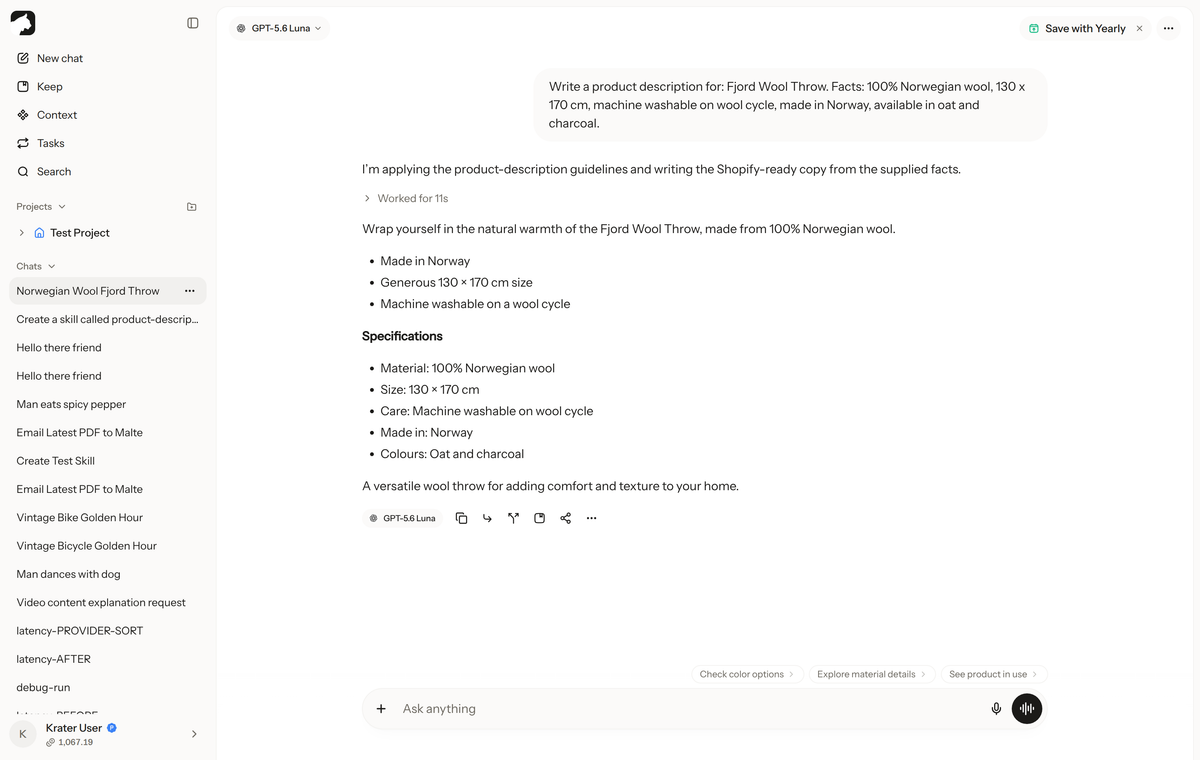
The output followed every rule: hook, three bullets, specs limited to what we provided, no hype words, no invented details. It lives in Settings > Skills where you can edit it, toggle it, or upload your own SKILL.md files - including any skill you originally wrote for Claude:
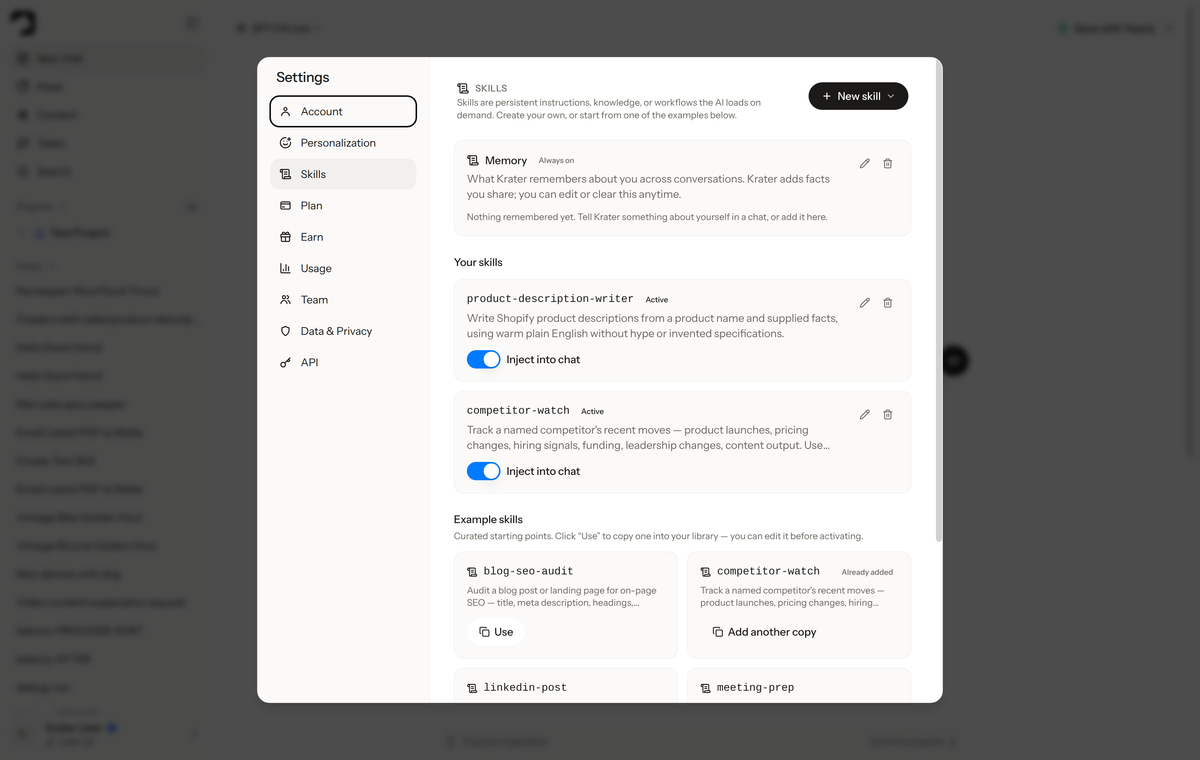
The honest trade-off: doing it yourself on claude.ai is free and teaches you the format. Doing it via Krater's agent costs a few credits but takes under a minute, works from your phone, and the resulting skill runs across 400+ models - so the same procedure is available in Claude, GPT, Gemini and the rest without rewriting.
Write a skill that actually triggers
- Description = trigger. Name the task and the situation, not the internals.
- Strict output contract: sections, order, length.
- Explicit prohibitions ("never invent specs") beat vague tone words.
- Test with prompts that should AND should not fire it; check both directions.
We build Krater. Methods 1-3 are the real way to make a Claude skill and they all work - our pitch is one section, and the screenshots above are real, unedited output.
FAQ
Do I need to know code to make a skill?
No. A SKILL.md is plain markdown - describing the procedure well matters more than code. Scripts are optional.
How do I make a custom skill download work?
A "skill download" is just getting the folder: write or generate the SKILL.md, keep the folder name matching the skill name, and upload or drop it into the right directory per platform.
Does ChatGPT or Gemini have skills like Claude?
Not in this format. Custom GPTs and Gems are the rough equivalent but are not portable files. On Krater, the same skill works across every model including GPT and Gemini.
What does making a skill on Krater cost?
Our test cost about 2.5 credits and took 39 seconds. Plans start at $9/mo with 500 credits on pricing.