

Best AI Voice Assistants in 2026: ChatGPT, Gemini Live, Claude, Krater and 4 More Compared
ChatGPT Voice, Gemini Live, Claude voice mode, Krater Voice Mode, Copilot, Grok, Alexa+ and Siri AI compared on price, usage limits, platforms, camera and privacy. Checked 20 Sep 2026.
The best AI voice assistant in 2026 depends on what you want the voice to do. ChatGPT Voice (Live) gives the most talk time per dollar: 3 hours a day on the $20 Plus plan. Gemini Live is the only one that streams your camera and screen on every plan, but it is mobile app only. Claude's voice mode is free on every plan and uses the same models as text chat. Krater Voice Mode is the only one here that can generate an image, a video or a song and search the web while you talk, and it is billed per second of conversation instead of a daily cap. Copilot Voice is free with no published cap, though sessions can time out. Alexa+ and Siri AI are for the home and the phone rather than open ended work.
Quick picks
- Most talk time for $20: ChatGPT Plus, 3 hours of Live a day.
- Camera and screen on every plan: Gemini Live, Android and iOS app only.
- Free on every plan, same models as text: Claude voice mode (beta).
- A voice that creates and searches mid call: Krater Voice Mode, paid plan, billed per second.
- Free with no published cap: Copilot Voice, sessions can time out.
- The household: Alexa+, $19.99 a month or with Prime.
- iPhone with your personal context: Siri AI, with the device, English first.
- One weekly pool across chat, images and voice: Grok on SuperGrok ($30).
Key Takeaways
- Talk time for $20: ChatGPT Plus gives 3 hours of Live a day. Krater Pro gives about 100 minutes a month if you spend every credit on voice. If you talk for an hour every day, ChatGPT Plus or Copilot (free, no published cap) is the better deal.
- Doing things by voice: Krater Voice Mode can call image, video and song generation, image editing, web search and your connected apps mid conversation. ChatGPT Live has web search and memory; Claude can use connected tools with permission; Gemini Live cannot use Gems.
- Seeing things: Gemini Live streams camera and screen on Android and iOS. ChatGPT only does video and screen sharing in the older Advanced mode on mobile, not in Live. Krater accepts a photo you attach. Claude's help centre does not mention camera.
- Where it runs: Claude, ChatGPT, Copilot and Krater work in the browser. Gemini Live does not: it is Android and iOS app only.
- Free voice: Claude (beta, all plans), Copilot (free, no published cap), ChatGPT Free (limited GPT-Live-1 mini), Alexa+ (free with Prime or a limited free tier), Siri AI (with the device). Krater has no free voice; it needs a paid plan.
- Training: OpenAI does not train on your voice clips unless you turn on "Include your audio recordings", but may use the transcripts if "Improve the model for everyone" is on. Krater does not train on any of your content.
How we compared them
Our earlier version of this page ranked four assistants on latency and voice quality without a published method, which is the same thing we criticise other listicles for. This rewrite is stricter and narrower. We compare only what the vendors document: which plans include voice and at what price, usage limits, platforms, what the assistant can see, whether it can act (call tools) during the conversation, which model runs it, and what happens to your audio. A measured round with spoken tasks may follow; it will be published on its own page and linked from here when it exists, with the method on /methodology.
Two things people mean by "AI voice assistant"
Search for this phrase and half the results are about something else: platforms such as Retell, Vapi, Bland and Synthflow that answer or place phone calls for a business, priced per minute of call, with SOC 2 and HIPAA in the comparison table. Those are phone agents for your customers. This page is about the other meaning: an assistant you talk to yourself, in an app or a browser, to get answers and get things done. None of the eight below will answer your company's phone line, and none of the phone agent platforms will brainstorm with you on a walk. If you want the first kind, you are on the wrong page.
The comparison table
| Assistant | Voice included in | Usage limit | Platforms | Sees camera or screen | Can act during the call | Model |
|---|---|---|---|---|---|---|
| ChatGPT Voice (Live) | Free (limited), Go $8, Plus $20, Pro $100 and $200 | Go 3 h/day (mini model), Plus 3 h/day, Pro $100 15 h/day, Pro $200 unlimited | Web, iOS, Android; desktop app voice for Business workspaces | Not in Live. Video and screen share only in Advanced mode on mobile | Web search, memory, visual widgets, images in chat | GPT-Live-1 (Plus and up), GPT-Live-1 mini (Free, Go) |
| Gemini Live | Free, AI Plus $4.99, AI Pro $19.99, AI Ultra from $99.99 | Standard limits on free; Plus 2x, Pro 4x, Ultra higher (Google does not publish Live hours) | Android and iOS app only, plus Pixel Buds. Not in the web app | Yes: camera streaming and screen sharing | No Gems; camera and screen context | Not named on the help page |
| Claude voice mode | All plans, beta: Free $0, Pro $20 monthly, Max from $100 | Shares your plan's usage limit; no separate voice hours published | iOS, Android, desktop app, web | Not mentioned in the help article | Connected tools (Gmail, Slack and others) with permission each time | Fastest version of the Claude model you last used (Haiku, Sonnet, Opus) |
| Krater Voice Mode | Pro $20 (1,500 credits), Ultra $49 (4,000), Max from $119 (10,000). No free voice | 15 credits per minute of talk; 30 minute session cap; no daily cap | Web app on desktop and mobile browsers | Photo you attach, kept for the whole session. No live camera | Generate images, videos and songs, edit images, web search, your connected apps | OpenAI gpt-realtime-mini for speech, gpt-4o-mini-transcribe for the transcript |
| Copilot Voice | Free for everyone; Microsoft 365 subscribers get priority at peak | "Not limited"; sessions may time out | Web, Windows, macOS, mobile app | Not covered on the voice page | Transcript after the call; "Hey Copilot" wake word in English | Not named |
| Grok voice | Free allowance; SuperGrok $30 and higher tiers | Free tier limit plus a shared weekly pool across Chat, Imagine, Voice and Build | grok.com, iOS, Android | Not documented on the pages we read | Not documented | Grok 4 on SuperGrok; voice model not named |
| Alexa+ | $19.99 a month, free with Prime, limited free tier on Alexa.com | Free tier "limited based on use" | Echo devices, Fire TV, Alexa app, Alexa.com | Echo Show cameras | Household tasks on Alexa devices, cross device continuity | Amazon LLM built for voice |
| Siri AI | Included with supported Apple devices | "Usage limits may apply" | iPhone, iPad, Mac, Vision Pro | Visual Intelligence on device | Personal context: photos, mail, messages | Apple Intelligence models, on device and Private Cloud Compute |
Prices are US list prices in USD on 20 September 2026. OpenAI has paused new sign ups to the $200 Pro plan; the $100 Pro plan is open.
ChatGPT Voice: the most talk time for $20
OpenAI now ships three voice options under Settings, Voice. Live is the current one: it "can listen and speak at the same time", uses web search and memory, and shows visual widgets. Advanced is the previous real time mode and is the only place you still get video and screen sharing, on mobile. Standard transcribes first, then answers.
The limits are the clearest of any vendor: Plus gets 3 hours of Live a day, Pro $100 gets 15 hours, Pro $200 is unlimited, Free is "limited access" to the mini model. Nine standard voices, and Live keeps going in the background while the phone is locked. On data, OpenAI keeps audio clips for 30 days with the transcript and says it does not train on clips unless you choose to share them in Data Controls, but transcripts can be used for training if "Improve the model for everyone" is switched on in your account.
Best for: anyone who talks to an AI for an hour or more a day and wants one flat price.
Gemini Live: the one that sees
Gemini Live is the strongest "show it something" assistant. You can "stream video and share your screen" from the app, switch front and rear cameras, interrupt at any time, put the mic on hold, and get a transcript at the end. You can start it from Pixel Buds with "Hey Google, let's talk."
The two limits that matter: it is Android and iOS app only ("Gemini Live isn't available in the Gemini web app") and "Gems can't be used with Gemini Live", so your custom assistants do not carry over. Google publishes plan multipliers (Plus 2x, Pro 4x, Ultra higher) but no hours for Live specifically. How Live transcripts and recordings are handled is set out in Google's Gemini Apps Privacy Hub, which the help page links to; it depends on your activity settings, so read it before you rely on Live for anything sensitive.
Best for: pointing your phone at a broken appliance, a menu or a form and talking it through.
Claude voice mode: free, and it is the same Claude
Anthropic's voice mode is "a beta feature available to all plans (Free, Pro, Max, Team, and Enterprise)" on mobile, desktop and web. Hands free listening is the default, push to talk is an option. The useful detail: it "can use the same Claude models you use in text chat", starting from the model you last used, and it runs the fastest version of that model. It will ask permission before using a connected tool such as Gmail or Slack. Voice has its own language setting.
What Anthropic does not publish: separate voice hours per plan, camera input, or a voice specific training statement. Pro is $20 monthly ($17 on annual), Max starts at $100.
Best for: people already on Claude who want to talk through a problem with Opus or Sonnet without switching tools.
Krater Voice Mode: the one that does things while you talk
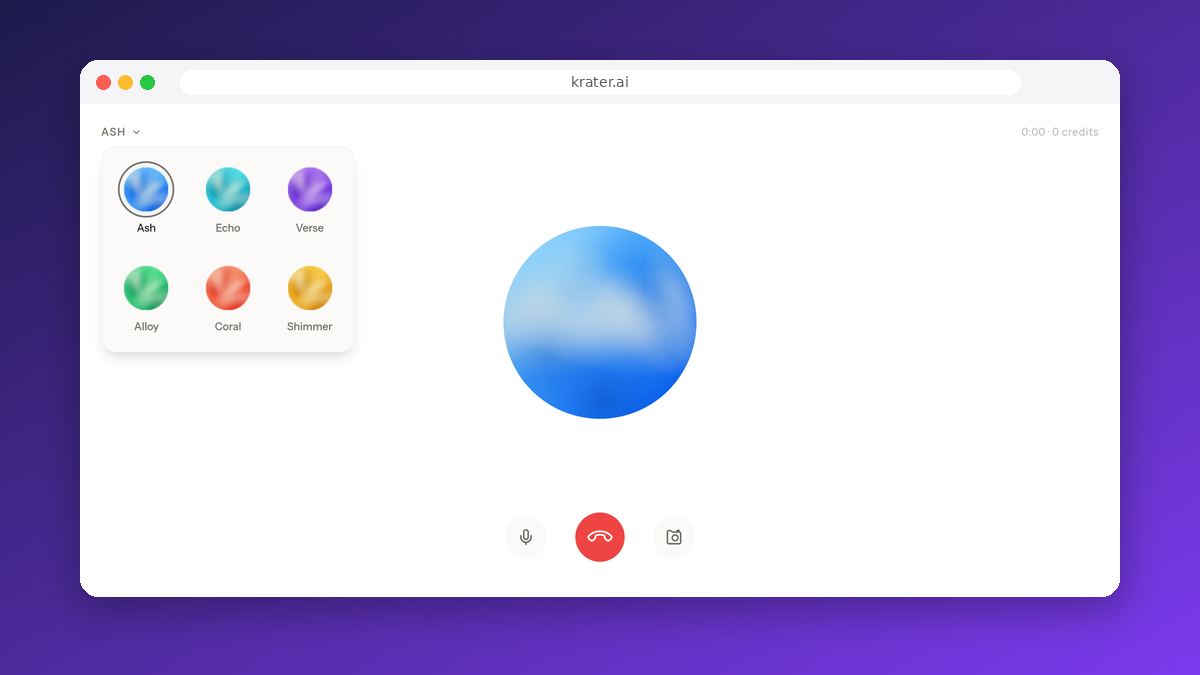
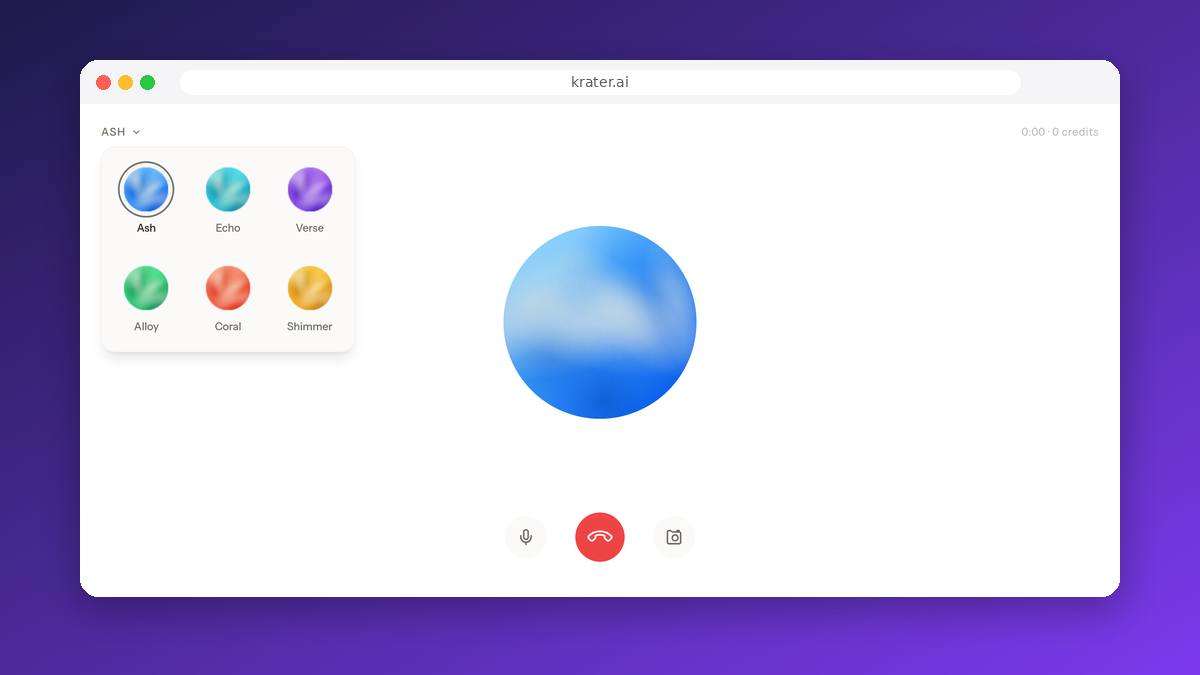
Krater's Voice Mode is a real time, interruptible conversation with six voices, captions, a photo you can attach and keep in context for the whole session, and full history saved to your chat with a Voice badge. It runs in the browser on desktop and mobile; there is no separate app to install.
Two things set it apart in this list. First, the voice session has tools: you can ask it to generate an image, a video or a song, edit an image, search the web, or use the apps you have connected to Krater, and it does that inside the call. Second, it is billed by the second of active conversation (0.25 credits a second, 15 a minute, 30 minute sessions) with no daily hour cap. The other side of that coin is talk time: Pro's 1,500 credits are about 100 minutes of voice if you spend nothing else, so a daily hour long talker pays more here than on ChatGPT Plus. Voice Mode needs a paid plan; guests and free accounts cannot use it.
On the model: Krater's speech runs on OpenAI's gpt-realtime-mini with gpt-4o-mini-transcribe for the transcript. We would rather say that than imply a house model. What Krater adds is the tool layer, the one workspace with 500+ text, image and video models, and the data position: Krater does not train on your conversations, prompts or generations.
Best for: people who want to say "make me a 16:9 poster of this" or "search that and read me the top result" and have it happen, and for teams already paying for Krater who do not want a second voice subscription. How it works in detail: Voice Mode on Krater.
Copilot, Grok, Alexa+ and Siri AI in brief
Copilot Voice is the free option with no published cap: "Use of Copilot Voice is not limited", though sessions may time out, with Microsoft 365 subscribers getting priority when capacity is tight. Around 60 spoken languages on Microsoft's supported list, a transcript after each call, and a "Hey Copilot" wake word (English only). Microsoft does not name the model. For work accounts, Microsoft 365 Copilot is $30 per user a month and includes voice on mobile, desktop and web.
Grok has a free voice allowance and, on SuperGrok ($30), a single weekly usage pool you can spend across Chat, Imagine, Voice and Build. xAI's docs we read do not spell out camera support, languages or the audio data policy for voice, so we do not rate it on those.
Alexa+ is $19.99 a month or free with Prime, with a limited free tier on Alexa.com. Its strength is the household: start on an Echo, continue in the car, pick up on the laptop, and it remembers the context. It is an assistant for your home, not a general AI workspace.
Siri AI is Apple's conversational Siri, "rolling out in English", free with the device, with personal context from your photos, mail and messages and Apple's "private at every step" processing. Usage limits may apply and other languages are not yet listed.
Talking vs acting: what each voice can do besides answer
Voice quality has become close to table stakes. The gap that matters now is whether the assistant can do something while you talk, or only talk. This is what each vendor documents.
| Assistant | Can do during the conversation (documented) | Documented as not available |
|---|---|---|
| ChatGPT Voice (Live) | Web search, memory, visual results in supported widgets, text and images in the same chat | Video, screen sharing, connected apps and plugins are not in Live at launch (Advanced mode has video and screen on mobile) |
| Gemini Live | Camera and screen streaming, transcript at the end of the session | Gems cannot be used in Live; not available in the web app |
| Claude voice mode | Your connected tools (for example Gmail, Slack) after it asks permission; same models as text | Camera is not mentioned in the help centre |
| Krater Voice Mode | Generate an image, a video or a song, edit an image, search the web, use your connected apps, keep an attached photo in context, full transcript saved to chat | No camera or screen streaming; no free tier |
| Copilot Voice | Transcript after the conversation, "Hey Copilot" wake word (English) | Tool use during voice is not documented |
| Grok | Voice draws from the same weekly pool as Chat, Imagine and Build | Camera, languages and tool use in voice are not documented |
| Alexa+ | Continues a conversation across Echo, car, phone and computer; camera on Echo Show | Not an open ended work assistant |
| Siri AI | Personal context from your device, on device and Private Cloud Compute processing | Whether voice and camera run together is not documented |
Read across the table and the split is clear: ChatGPT and Gemini are the best pure talking and seeing experiences on their own documentation, and Krater is the one where the sentence "make me a poster of that and search where I can print it" ends with a poster and a search result rather than a description of one.
How to start each one
- ChatGPT: pick Live, Advanced or Standard under Settings, then Voice. Live for conversation, Advanced for video or screen sharing on mobile, Standard for turn by turn.
- Gemini Live: open the Gemini app on Android or iOS and start Live. On Pixel Buds say "Hey Google, let's talk". There is no Live in the browser.
- Claude: voice mode starts hands free by default and listens for pauses. Switch to push to talk and hold the button while you speak if you are somewhere noisy.
- Krater: click Start voice mode next to the message box in any chat, pick one of the six voices, and talk. Attach a photo from the same panel if you want it in context.
- Copilot: in the Copilot app on web, Windows, macOS or mobile; "Hey Copilot" wakes it in English.
Which one should you pick
- You want to talk a lot for a flat $20: ChatGPT Plus (3 hours a day). Free with no published cap and fewer features: Copilot.
- You want it to see what you see: Gemini Live, on your phone.
- You are on Claude already: Claude voice mode, it costs nothing extra.
- You want the voice to create and do things, and one subscription for everything else: Krater Voice Mode. Start at $20 a month.
- You want a home assistant or a phone assistant: Alexa+ or Siri AI.
Frequently Asked Questions
Which AI voice assistant is free?
Claude voice mode (beta) on the Free plan, Copilot Voice (free, no published cap), ChatGPT Free with limited access to GPT-Live-1 mini, Gemini Live on the free Gemini app with standard limits, Grok's free allowance, Alexa+ free with Prime or on a limited free tier, and Siri AI with a supported Apple device. Krater Voice Mode requires a paid plan.
Which voice assistant can see my camera or screen?
Gemini Live streams camera and screen on Android and iOS on every plan. ChatGPT does video and screen sharing only in the Advanced voice option on mobile, not in Live. Krater keeps a photo you attach in context. Alexa+ uses Echo Show cameras and Siri AI uses Visual Intelligence on device.
How much talk time do I get for $20?
ChatGPT Plus: 3 hours of Live a day. Claude Pro: shares your general usage limit, no separate voice hours published. Google AI Pro ($19.99): 4x the free limits, hours not published. Krater Pro: 1,500 credits, which is about 100 minutes of Voice Mode if you spend them all on voice, with no daily cap.
Do these assistants train on my voice?
OpenAI does not train on audio or video clips unless you choose to share them in Data Controls, but may use transcripts when "Improve the model for everyone" is on. Google handles Live data under its Gemini Apps Privacy Hub, depending on your activity settings. Krater does not use your conversations, prompts or generations to train models. Anthropic, Microsoft, xAI, Amazon and Apple do not publish a voice specific statement on the pages we read; check their privacy policies.
What is the difference between voice dictation and voice mode?
Dictation turns what you say into text, sends it, and you read the reply. Voice mode is a live spoken conversation where the assistant talks back and you can interrupt. ChatGPT's Standard option sits in between: it transcribes your speech first, then speaks a reply, turn by turn. Claude's push to talk is still voice mode; you hold the button to speak but Claude answers out loud. On Krater, /transcribe turns audio into text and Voice Mode is the spoken session.
Did you test voice quality and latency?
Not on this page. This is a documentation comparison. Our earlier version made claims about latency without a published method, which we have removed. If we run a measured spoken task round it will be published separately under our testing methodology.
Bottom Line
There is no single best AI voice assistant, but there are clear winners per job. ChatGPT Plus for hours of talk at a flat price, Gemini Live for a voice that sees, Claude for people already on Claude, Copilot for free voice with no published cap, and Krater Voice Mode when you want the voice to generate images, video and songs, search the web and use your apps inside the conversation, billed only for the seconds you use. Check the linked vendor pages before you buy; limits on this list changed twice this year.