

Switching from Gemini: How to Move Your Chats to Krater
Export your Gemini history through Google Takeout, import it into Krater, and keep every conversation. Verified steps, screenshots, and what you gain.
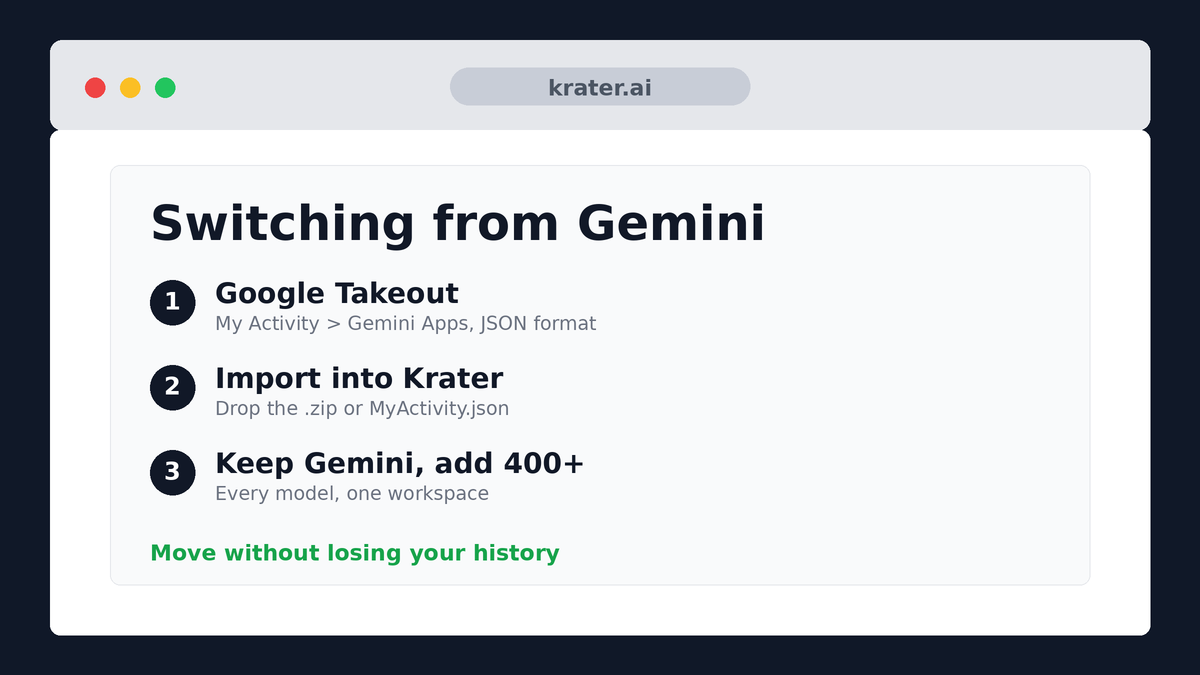
Step 1: Export your Gemini data
- Open Google Takeout and click Deselect all.
- Scroll to My Activity and select it.
- Inside My Activity, pick Gemini Apps activity only.
- Change the format from HTML to JSON - this is the step everyone misses; Krater needs the JSON structure.
- Finish the export and download the archive Google gives you.
Flexible upload: Krater accepts the Takeout .zip, or just the MyActivity.json file inside it if you've already unzipped, or the HTML export if that's what you have. JSON is cleanest.
Step 2: Import it into Krater
Once you have the export file, the Krater side takes about a minute:
- Open Krater and click your profile menu in the bottom-left corner.
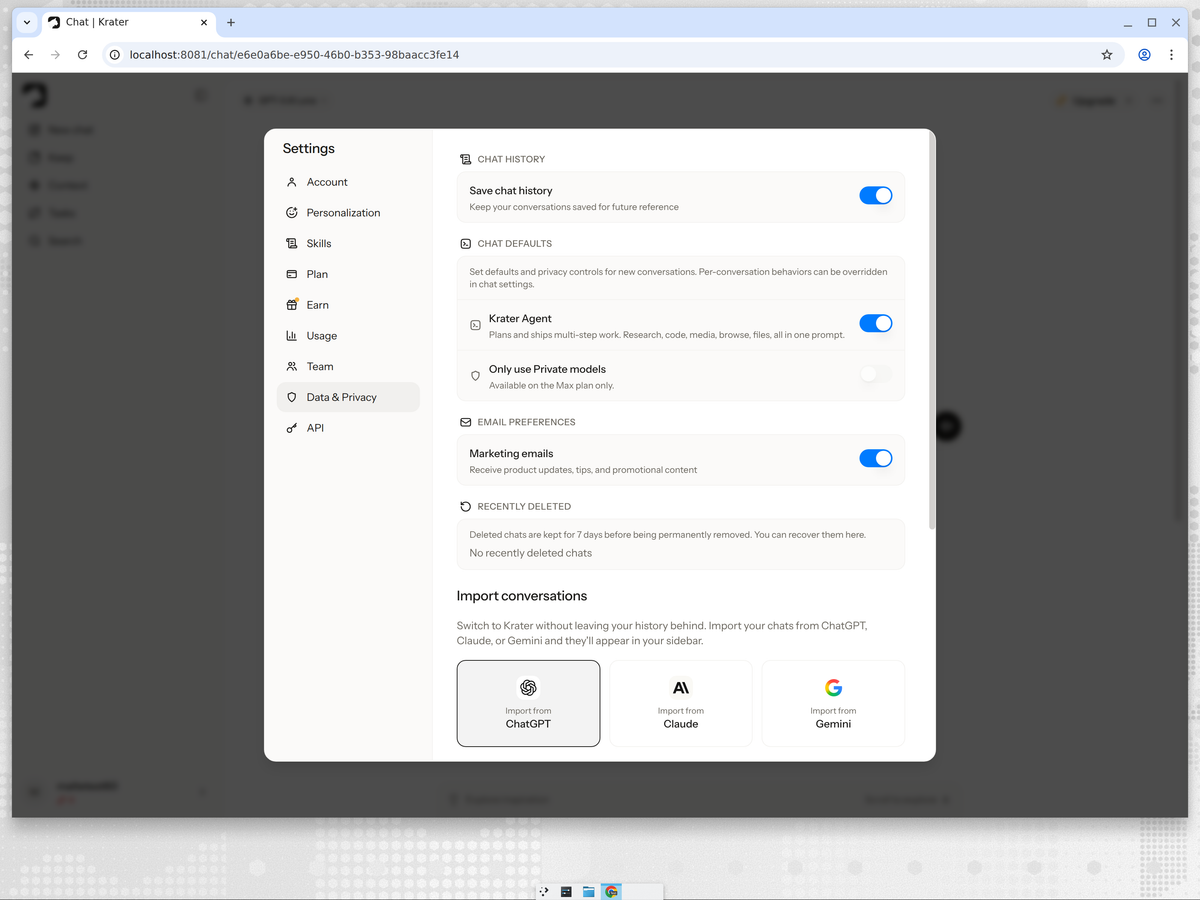
- Open Settings → Data & Privacy.
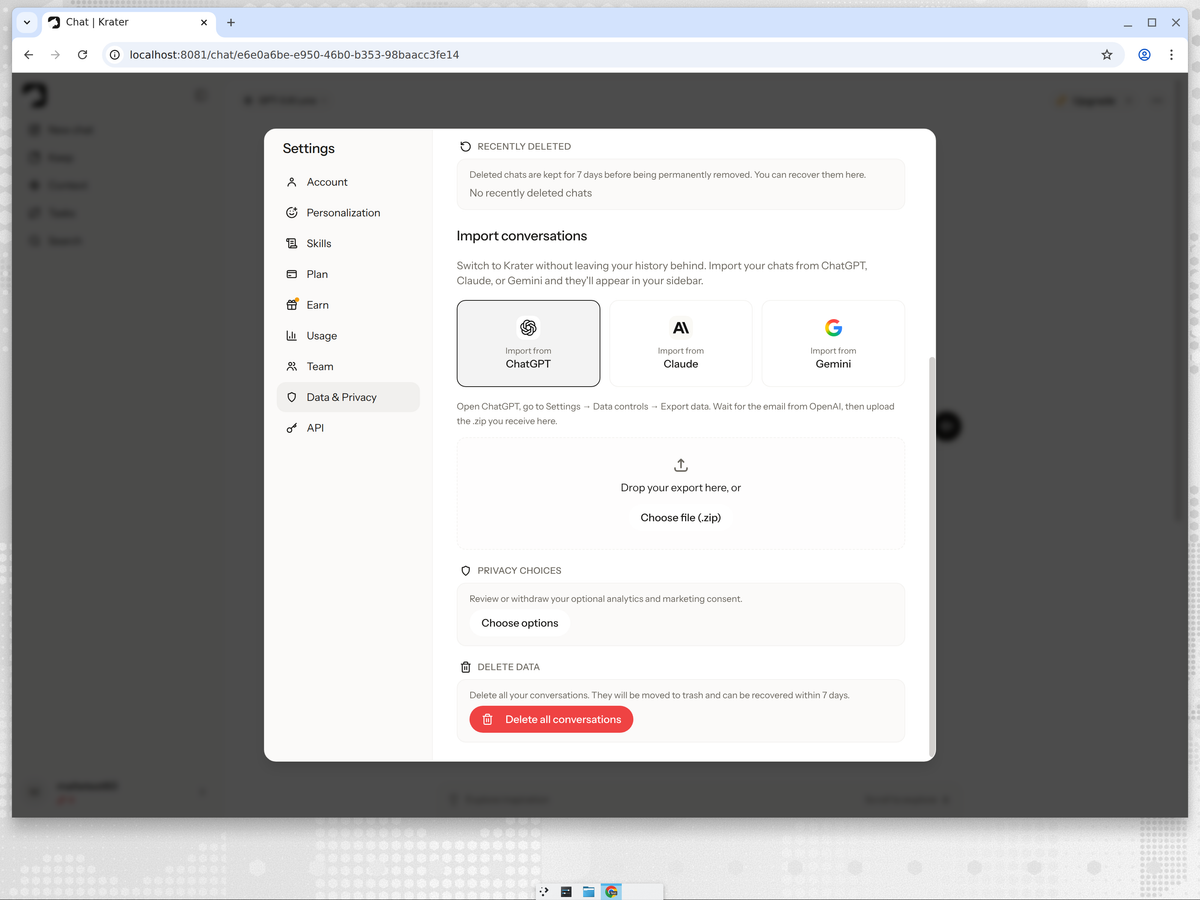
- Scroll to Import conversations and pick the Gemini tile.
- Drop the export file (or click Choose file) and wait for the import to finish. Your chats appear in the sidebar.
Step 3: Cancel your Gemini subscription (if you want)
Cancel from the same Settings area on Gemini's side. Do it after your import finishes, not before - once the account is closed you lose access to the export.
What carries over, and what doesn't
- Carries over: your Gemini conversation history into the Krater sidebar.
- Doesn't: Gems, Google Workspace integrations (Docs/Drive hooks), and AI Pro bundling. Krater replaces the integrations story with 1,400+ app connections of its own.
How Krater beats Gemini
Quick version, because the point of switching is what you get on the other side:
- Not just one ecosystem. Gemini is great if you live inside Google. Krater gives you Gemini plus GPT, Claude, Grok and 400+ more models without the Google lock-in.
- Answers from multiple models at once. Arena mode runs your prompt across several models side by side - Google's AI answers questions, Krater shows you how every leading model answers them.
- Creative tools included. Image, video, voice and transcription tools, an Agent for multi-step work and 1,400+ app connections all ship in the same plan.
- Predictable price. $20/mo Pro, no bundling decisions to decode. See Krater pricing.
We build Krater, so read this part with that in mind. For a neutral model-by-model breakdown with measured results, see our tested Gemini vs Chatgpt page, or the community view in best Gemini alternatives.
FAQ
Does Krater include Gemini models?
Yes - the latest Gemini models run in Krater alongside GPT, Claude, Grok and 400+ others. You keep Gemini and gain the rest of the field.
My Takeout export is huge - will it work?
Krater accepts exports up to 2 GB. If yours is larger, upload just the MyActivity.json file instead of the whole archive.
What happens to my Google AI Pro bundle?
That's Google-side; cancel it when you're ready. Krater Pro at $20/mo isn't tied to any storage bundle.
Is the import private?
Yes - encrypted transfer into your account only. Nothing is shared or used for training.
Related reads
- Switching from ChatGPT: how to move to Krater
- Switching from Claude: how to move to Krater
- Switching from Grok: how to move to Krater
- Switching from Perplexity: how to move to Krater
- Krater Academy course: get more out of every model
- Why one workspace for all AI models beats five subscriptions
- Krater pricing