

The Best AI Project Management Tools in 2026 (Honest Comparison)
Asana, ClickUp, Motion, Notion, Trello and the AI workspace layer compared honestly: what each tool actually does and which to pick.
Quick comparison
| Tool | What it is | What the AI does | Best for |
|---|---|---|---|
| Krater | AI workspace | Runs project work: shared chats, files, instructions, scheduled tasks, 500+ models | Teams whose project work happens in AI conversations |
| Asana | Task board | AI summaries, smart status, workflow suggestions | Larger teams with formal processes |
| ClickUp | Task board | AI writing, summaries, subtask generation | Teams wanting one board for everything |
| Motion | Auto-scheduler | Rebuilds your calendar and task order as priorities change | Solo operators drowning in scheduling |
| Notion | Docs plus light tasks | AI writing and Q&A inside docs | Doc-first teams |
| Trello | Kanban board | Light AI helpers via Atlassian Intelligence | Simple visual tracking |
Krater: the AI-work layer
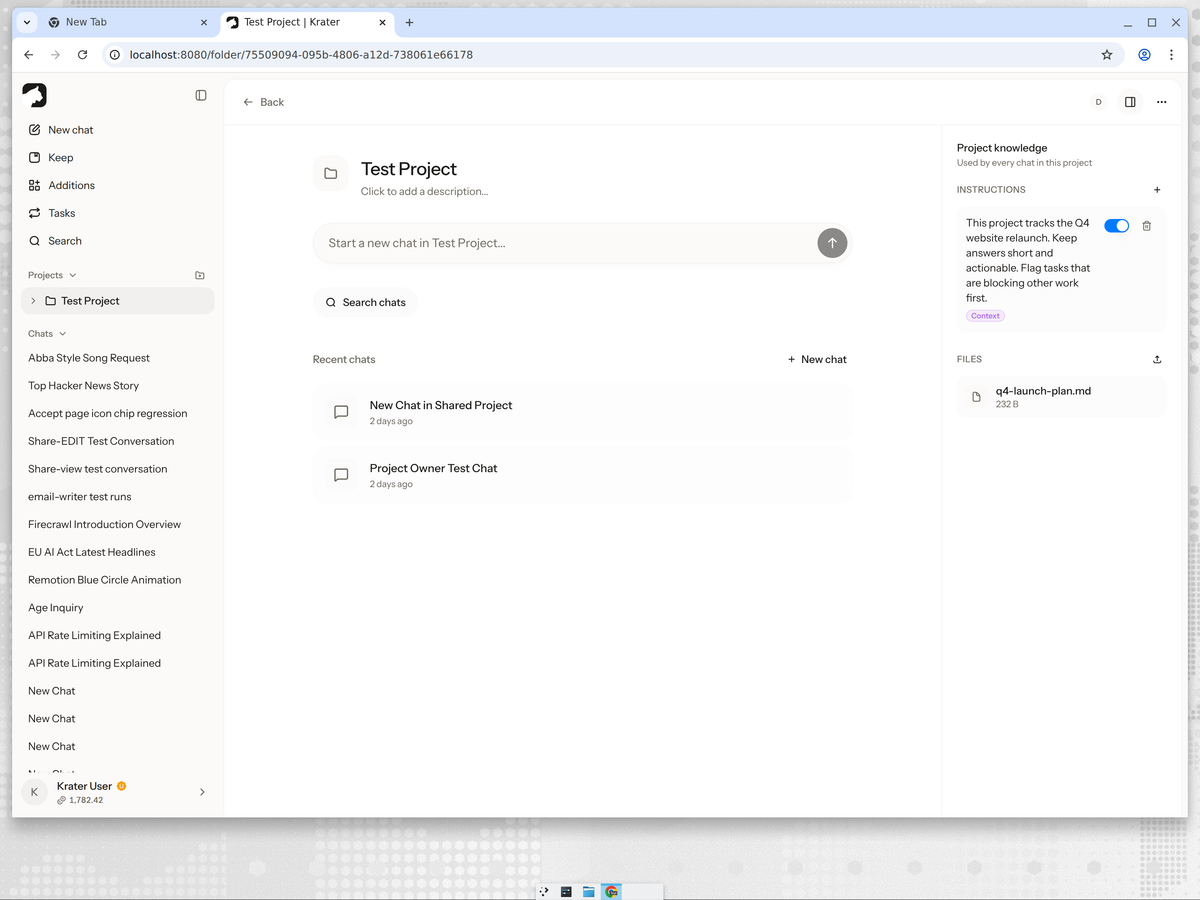
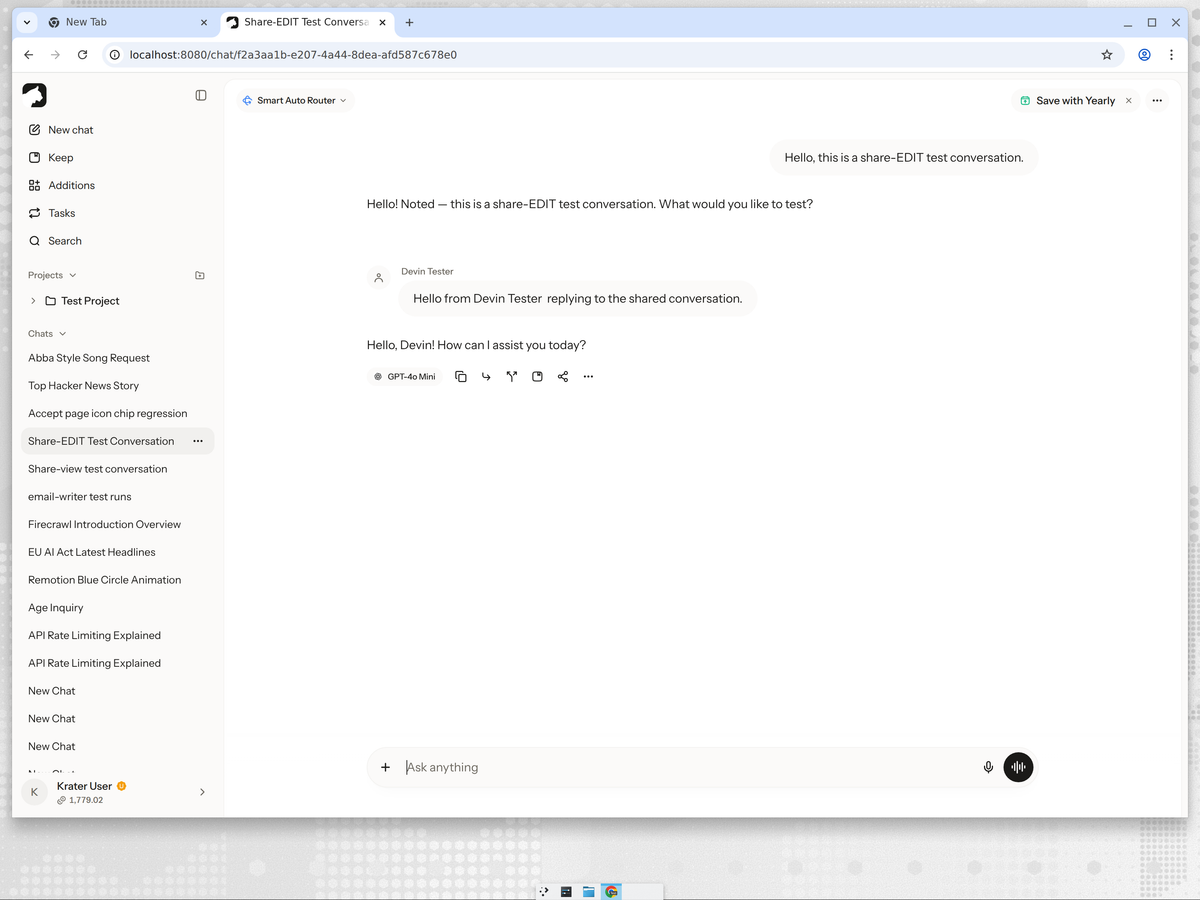
Every other tool on this list manages the record of the work. Krater is where the work gets done. A Krater project holds chats, uploaded files and shared instructions, so every conversation starts knowing the brief, the plan and the constraints. Tasks are scheduled prompts that post status digests and check-ins automatically, and any model in the catalog of 500+ can answer inside the same thread.
Honest gap: no kanban board, no Gantt chart, no assignee tracking. Krater pairs with a board or replaces it for teams that never needed one.
Asana
The most structured of the boards. Asana's AI writes status updates, summarizes threads and suggests workflow improvements, and the underlying task model (projects, sections, dependencies, portfolios) is the deepest here. Honest gap: the AI assists the tracker; it does not hold your project context or do the thinking work. Priced per seat, and the useful AI features sit in higher tiers.
ClickUp
The everything board: tasks, docs, goals, chat and whiteboards in one app, with ClickUp Brain generating summaries and subtasks. Honest gap: feature density is also its weakness; the interface is heavy, and Brain is a paid add-on per member on top of the plan.
Motion
Not a board at all: Motion auto-schedules your tasks onto a calendar and reshuffles the day when priorities move. The AI scheduling is genuinely good. Honest gap: it organizes when work happens, not the work itself, and it is priced like a premium tool.
Notion
A docs tool with tasks bolted on. Notion AI is strong at writing and Q&A over your pages, which makes it decent for doc-centric projects. Honest gap: task management is thin compared to Asana or ClickUp, and the AI only sees what lives in Notion.
Trello
The simplest board, now with Atlassian Intelligence for writing and summarizing cards. Honest gap: fine for lightweight tracking, but it is the shallowest option here on both the board and the AI side.
The category mistake most lists make
Every ranking of AI project management tools compares boards to boards. But the part of project work that AI changed most is not card tracking; it is the thinking layer: planning chats, draft documents, decisions and status writing. That is the layer these lists skip entirely, and it is where the hours actually go. A board records the plan; a workspace is where the plan gets made.
Which to pick
- You need ticket tracking and dependencies: Asana or ClickUp.
- Your calendar is the bottleneck: Motion.
- You live in docs: Notion.
- You want the simplest possible board: Trello.
- Your project work happens in AI conversations: Krater, alone or alongside a board.
More guides: what AI project management actually means, the freelancer setup, AI collaboration tools compared, the best AI workspaces, and sharing chats and projects on Krater.
FAQ
What is the best AI tool for project management? For task tracking with AI features, Asana and ClickUp are the strongest boards; Motion leads for auto-scheduling. For the work layer, where plans, files and decisions live, Krater is the only tool built for it. Most teams need one of each.
Can AI replace a project management tool? Not entirely. AI replaces the admin work around the tool: drafting plans, writing updates, summarizing threads. You still need somewhere to record task status, whether that is a board or a project workspace.
Is there a free AI project management tool? Most boards have free tiers with limited AI: Trello and ClickUp are the usual starting points, and Notion's free plan covers light use. The meaningful AI features are generally paid, whatever the tool.
What is the 30% rule for AI? The popular shorthand that roughly a third of knowledge work is automatable today. For project management, that third is status reports, meeting notes, scheduling and first drafts, the admin layer.
Do AI project management tools work for small teams? Yes, and small teams benefit most: they rarely have a dedicated PM, so the admin automation matters more than the board. See the freelancer guide for the solo version.
Compared on 3 October 2026 against each product's public feature set and pricing pages. Prices change; check the vendor sites before buying.