


AI Project Management for Freelancers: The 2026 Guide
Freelancers need client context and automated admin, not a team board. One project per client plus scheduled check-ins: the setup that works.

Why freelance project management is different
On a team, the PM chases other people's status. As a freelancer you are the PM, the team and the account manager at once, so the work that slips is the admin: the client update, the scope note, the "where did I put that brief" moment. The tools aimed at teams (kanban boards, sprint views, assignee matrices) solve a problem you do not have, while the problem you do have, holding five clients' context in your head, gets ignored.
The setup: one project per client
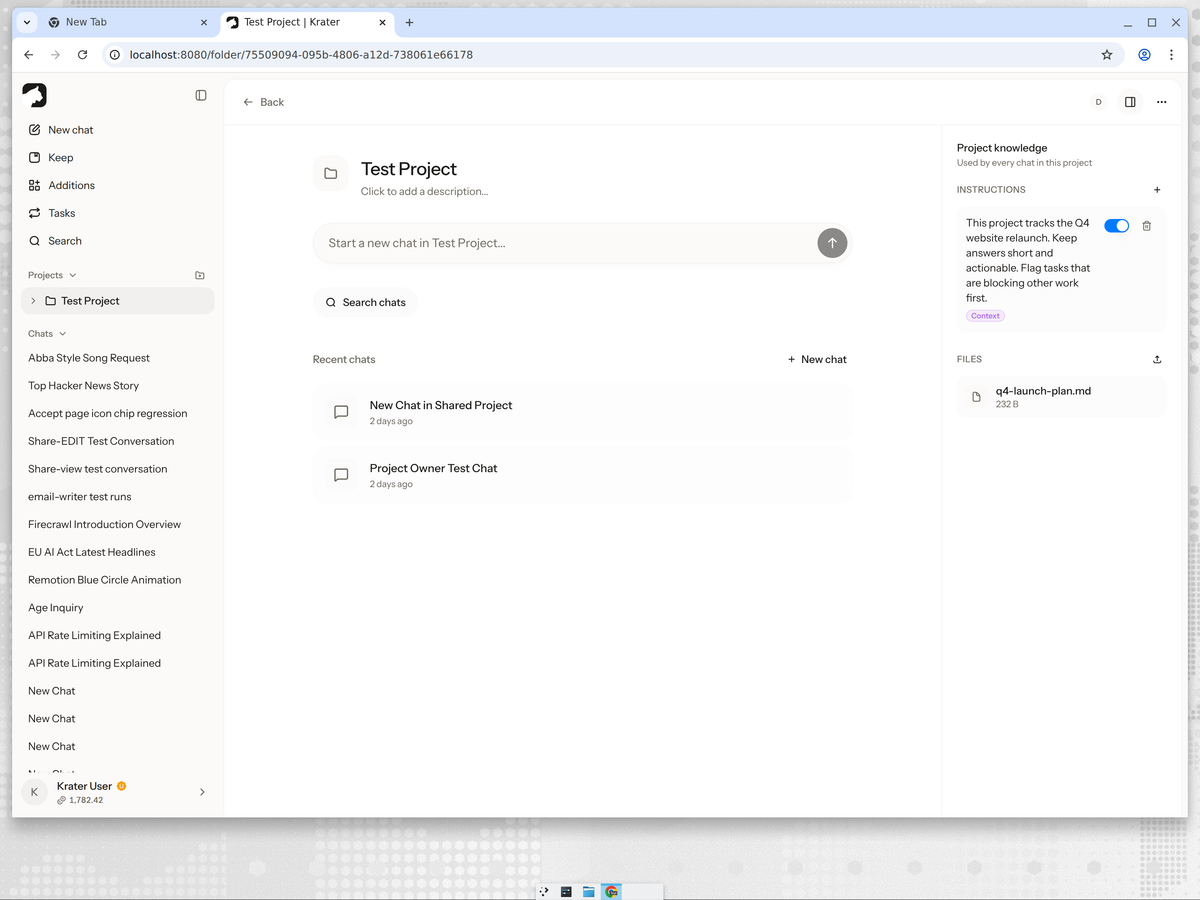
Create a Krater project for each client or engagement. Inside it, every chat shares the same project knowledge:
- Instructions set the standing context: who the client is, their brand voice, what to always flag.
- Files hold the brief, contract, brand guide and past deliverables, so every chat can answer from them.
- Chats stay grouped by client, so a conversation from three weeks ago is findable in seconds.
Automate the admin you keep skipping
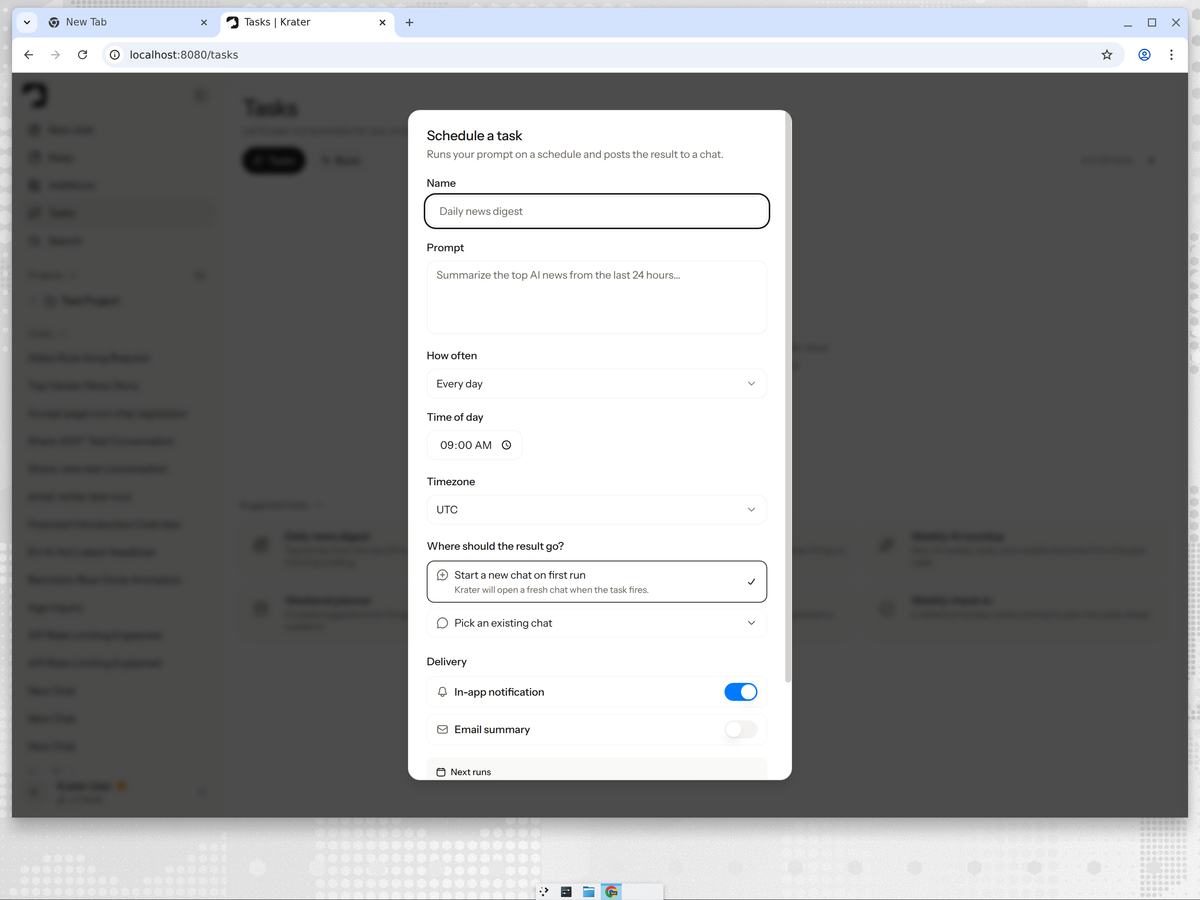
The highest-value use of scheduled prompts for a solo operator is the recurring client-facing work:
- Monday kickoff: a task that reviews the week's deliverables and drafts your plan for each client project.
- Friday status digest: a scheduled prompt that drafts the client update from the week's chats, ready for you to edit and send.
- Deadline radar: a weekly pass over the project files flagging anything due or blocked.
Each task posts its result into a chat and can send an email summary, so the admin happens even on weeks you are buried in delivery.
Let the client inside the work
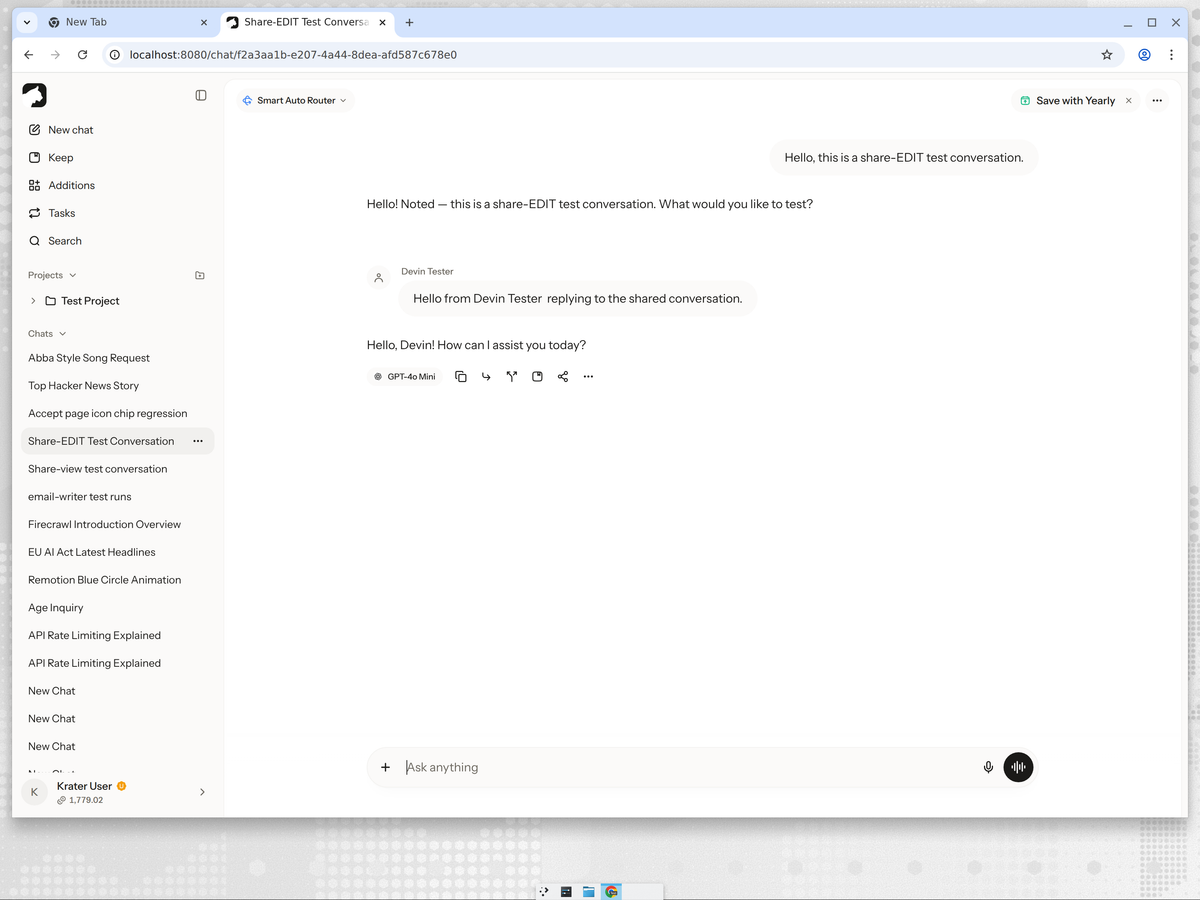
This is the part no other setup offers. When a client asks "where are we on X", you can share the actual AI conversation instead of writing a summary. A view link shows the work; an edit invite lets them post inside the thread, so a client's feedback lands where you are already working. For ongoing engagements, a shared project gives the client the whole picture: chats, files and instructions, no separate status deck required.
When a board still makes sense
If you run dozens of concurrent micro-deliverables or subcontract work out, a lightweight board earns its place: Trello or Notion is enough at freelance scale. The honest division of labor: the board tracks card status, and the AI workspace is where deliverables get made and client context lives. Most freelancers can start with the workspace alone and add a board only when they feel the need.
More guides: AI project management explained, all the tools compared, sharing AI chats with clients, sharing a ChatGPT conversation, and how sharing works on Krater.
FAQ
Can AI manage my freelance projects? It can run the admin layer: drafting client updates, holding project context, flagging deadlines and summarizing meetings. It cannot make judgment calls about scope or have the hard conversation with a late-paying client, which stays with you.
Do freelancers need a project management tool? A board built for teams is usually overkill. What freelancers actually need is client context in one place and the recurring admin automated; an AI workspace covers that, and a simple board can be added when deliverable tracking demands it.
How much time does AI save freelancers? The honest estimate is the admin share of your week: status updates, recaps, re-reading briefs, drafting plans. For most freelancers that is a few hours a week, the time that never gets billed.
Can my client see the project without an account? Public snapshot links need no sign-in at all, so a client can view a conversation or result instantly. To post inside the thread, they sign in with an edit invite.
What is the 30% rule for AI? The shorthand that roughly a third of knowledge work is automatable today. For a freelancer that third is exactly the unbilled admin: updates, notes, scheduling and first drafts.
Checked on 3 October 2026 against Krater's current feature set. The screenshots show a real test project and shared conversation.