

/build — Generate Apps, Sites & Code
From prompt to live site in seconds The /build command is Krater's unified builder. Describe what you want and get production ready code, a live preview in Studio, or a published site at .krater.si...
From prompt to live site in seconds
The /build command is Krater’s unified builder. Describe what you want and get production-ready code, a live preview in Studio, or a published site at *.krater.site, all from a single prompt.
/build replaces the older /code and /visual commands, and it accepts file uploads: attach a screenshot to recreate a design, or drop in an existing code file to extend it.
Cost: the command menu shows a 5 credit estimate. Actual billing uses your selected model’s real token usage, so a short snippet usually costs less and a large multi-file build costs more. Track each run under Settings → Usage.
How to use
/build A React hook that fetches data with loading and error states
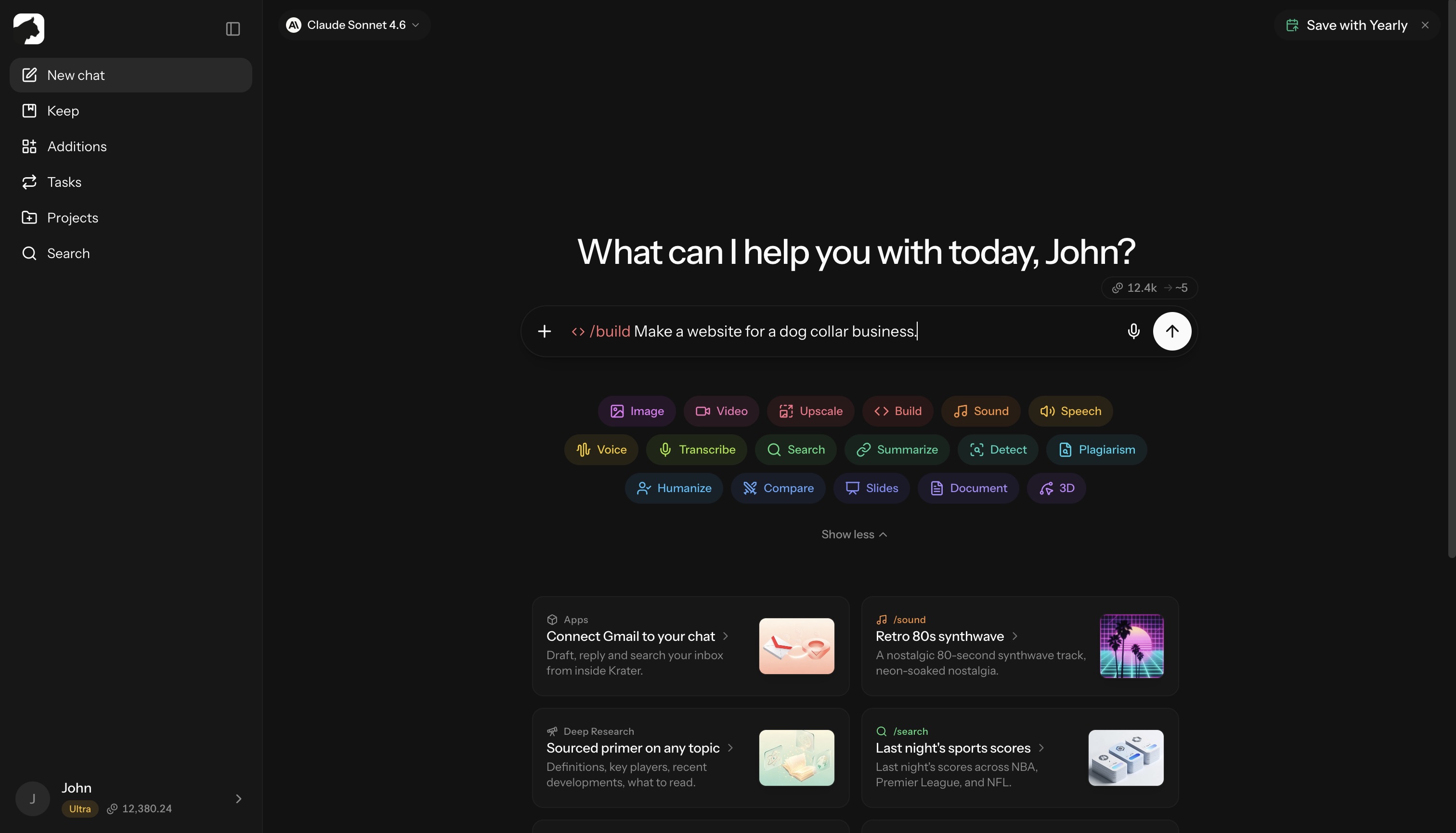
/build A modern SaaS pricing page with monthly/yearly toggle
/build An interactive compound interest calculator
/build A landing page for my coffee shop, then publish it
Three outcomes, one command
Code
Generate snippets, components, hooks, scripts, or full files. Results stream in as copy-paste-ready code blocks with full syntax highlighting. Python, JavaScript, and TypeScript artifacts can run directly inside Studio, no local setup needed.
Live preview in Studio
Websites and apps open in Studio: a sandboxed live preview right next to your chat. Switch between desktop, tablet, and mobile viewports, inspect every file’s code, compare versions with diffs, edit files by hand, or roll back to an earlier version. To iterate, just ask in plain language, for example “make the hero full-width”, and /build ships a new version.
Publish to *.krater.site
Push the result to a real URL like your-project.krater.site with one click. Krater hosts it, and published sites carry a small “Built with Krater” badge. Your subdomain is permanent once claimed.
Manage every published site under Keep → Sites: traffic stats, version rollback, custom domains, unpublish, or delete.
Publishing requires an Ultra or Max plan:
| Plan | Live sites | Custom domains |
|---|---|---|
| Ultra | 2 | 2 |
| Max | 5 | 5 |
What you can build
UI & web
- Pricing tables, navigation menus, hero sections
- Forms, dashboards, admin panels
- Landing pages, portfolios, marketing sites
Interactive tools
- Calculators (mortgage, ROI, compound interest, tip splitter)
- Charts and data visualizations
- Quizzes, games, configurators
Code & components
- React, Vue, and Svelte components
- API integrations, hooks, utilities
- Python scripts, Rust crates, Go modules
- SQL queries, regex, shell scripts
Apps
- Todo lists, note-takers, trackers
- Mini CRMs and dashboards
- Prototypes for client demos
Supported languages
TypeScript, JavaScript, Python, Rust, Go, Java, C++, C#, Swift, Ruby, PHP, SQL, Bash, HTML, CSS, and many more. Krater detects the right language from your prompt.
Why /build?
- One command for code, sites, and apps, no mode to pick upfront
- 500+ AI models behind it, including the
auto/powerrouter for stronger code output - Live preview: see it before you ship it
- One-click publish: prompt to public URL in under a minute
- No setup: no IDE, no terminal, no deploy pipeline
Tips
- Be specific about layout, colors, and features. “Pricing page, three tiers, dark mode toggle” beats “make a pricing page”.
- Attach a reference screenshot or file when you want a close match to something existing.
- Iterate in chat instead of rewriting your prompt. Every change creates a new version you can roll back from.
Related: Keep & file storage, Understanding credits, /slides for presentations
More in Slash Commands
- /image — Generate & Edit Images
- /video — Create Videos
- /upscale — Upscale Images & Video
- /sound — Music & Sound Effects
- /tts — Text to Speech
- /voice — AI Voice Transformation
- /transcribe — Transcribe Audio & Video
- /research — Research
- /summarize - Summarize URLs, Videos & Files
- /detect — AI Detection
- /plagiarism — Check Plagiarism
- /humanize - Make AI Text Natural
- /compare — Compare AI Models
- /slides — Generate Presentations
- /document — Create Documents
- /3d — Generate 3D Models