

/upscale — Upscale Images & Video
Upscale images and video to higher resolution The /upscale command enlarges and sharpens media with Krater's Crystal upscaler. Attach an image or a video, pick a scale, and get a crisper, higher re...
Upscale images and video to higher resolution
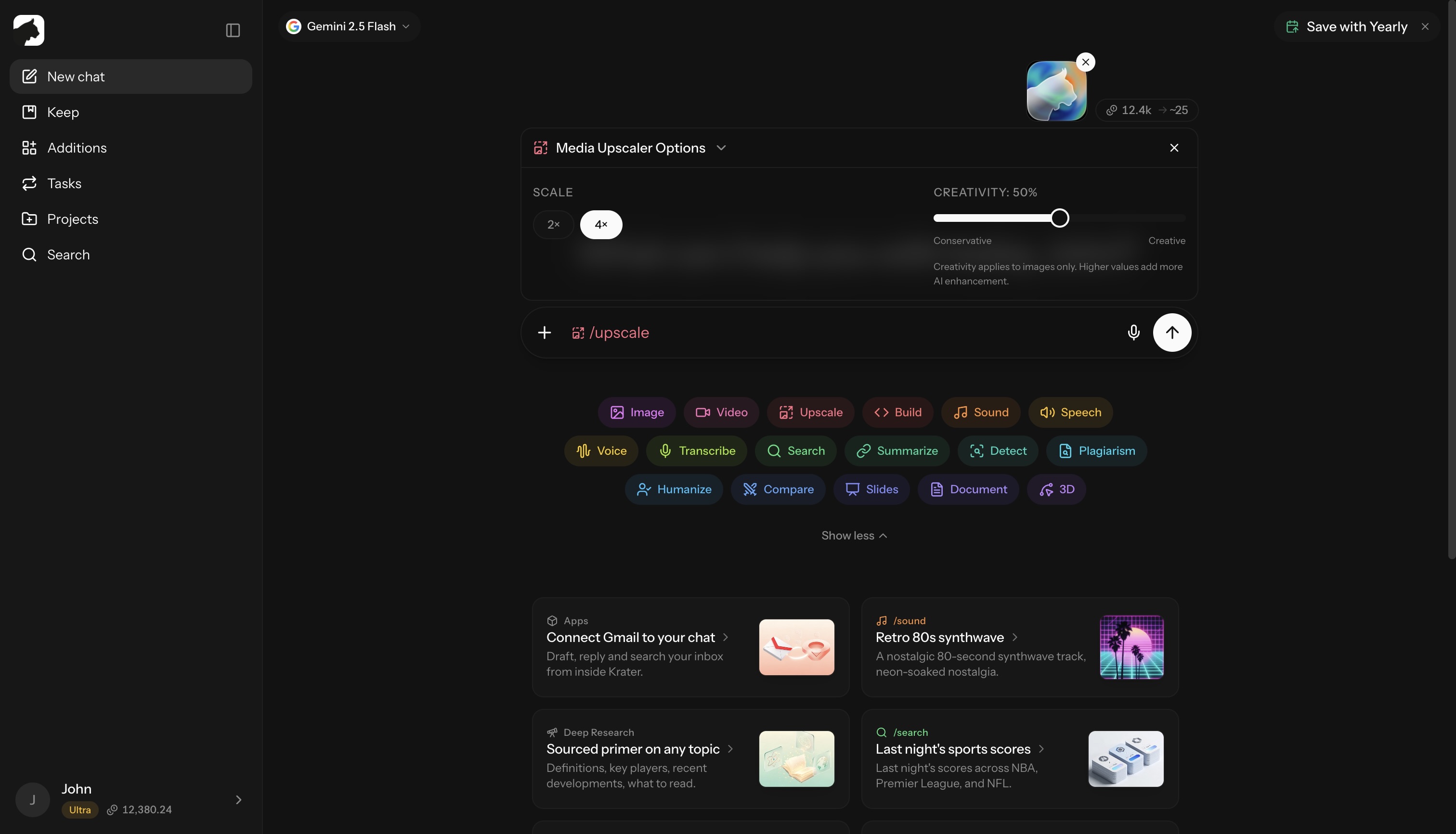
The /upscale command enlarges and sharpens media with Krater’s Crystal upscaler. Attach an image or a video, pick a scale, and get a crisper, higher-resolution result back in the chat — print-ready photos, sharper AI art, cleaner footage.
How to use
- Attach an image or video to your message
- Type
/upscale - Choose a scale factor (and a creativity level for images)
- Send — the result arrives in the chat when processing finishes
/upscale [with image or video attached]
Upscales run in the background. Images typically finish in seconds; video takes longer depending on length.
Options
| Option | Applies to | Description |
|---|---|---|
| Scale factor | Images and video | 2× or 4× enlargement |
| Creativity | Images only | Slider from 0–100%. Low stays faithful to the original; high adds more AI-reconstructed detail |
What it costs
Images are billed per output megapixel — about 4 credits per MP, with a 25 credit minimum that covers outputs up to roughly 6 MP. A typical 2× photo lands at the minimum. Output is capped at 8,192 pixels per side.
Video is billed per megapixel-second of output: output megapixels × duration in seconds × 20 credits, multiplied by a frame-rate factor (up to 30 fps = ×1, 60 fps = ×2, 90 fps and above = ×3). The options menu shows a 75 credit estimate; the real charge follows the size and length of the result.
| Example | Approx. cost |
|---|---|
| 1,000×1,000 photo at 2× | 25 credits (minimum) |
| 2,000×2,000 photo at 4× | ~256 credits |
| 5 s clip, 640×360 at 30 fps, 2× | ~90 credits |
| 10 s clip, 1280×720 at 30 fps, 2× | ~740 credits |
Credits are reserved up front and settled against the actual output — a failed upscale is refunded automatically.
Limits
/upscalein chat needs a paid plan: Pro, Ultra or Max, or a team seat- Video input: up to 60 seconds, 200 MB, and 5,120 px per side
- Video upscaling lives in chat only; the public API and Krater’s MCP server upscale images only
- No plan? The free AI Image Upscaler gives one 2× image upscale with no sign-up
Use cases
- Print preparation — upscale digital images for large prints
- AI art enhancement — sharpen and improve generated images
- Old photo restoration — improve low-resolution photos
- Footage cleanup — raise the resolution of short clips
- Social media — crisp images for high-DPI displays
Tips
- Keep creativity low for photos; push it higher for illustrations and art
- 2× is the cheaper, safer default — 4× quadruples output megapixels and the credit cost
- Results are saved to your chat; store them permanently in Keep
Related: generate images, create videos, how credits work
More in Slash Commands
- /image — Generate & Edit Images
- /video — Create Videos
- /build — Generate Apps, Sites & Code
- /sound — Music & Sound Effects
- /tts — Text to Speech
- /voice — AI Voice Transformation
- /transcribe — Transcribe Audio & Video
- /research — Research
- /summarize - Summarize URLs, Videos & Files
- /detect — AI Detection
- /plagiarism — Check Plagiarism
- /humanize - Make AI Text Natural
- /compare — Compare AI Models
- /slides — Generate Presentations
- /document — Create Documents
- /3d — Generate 3D Models