

/sound — Music & Sound Effects
Generate music and sound effects The /sound command is Krater's unified audio generator. Inside the options panel you choose between Music mode (full songs with vocals or instrumentals) and Effect ...
Generate music and sound effects
The /sound command is Krater’s unified audio generator. Inside the options panel you choose between Music mode (full songs with vocals or instrumentals) and Effect mode (custom sound effects up to 22 seconds).
How to use
/sound An upbeat synthwave track with driving bass
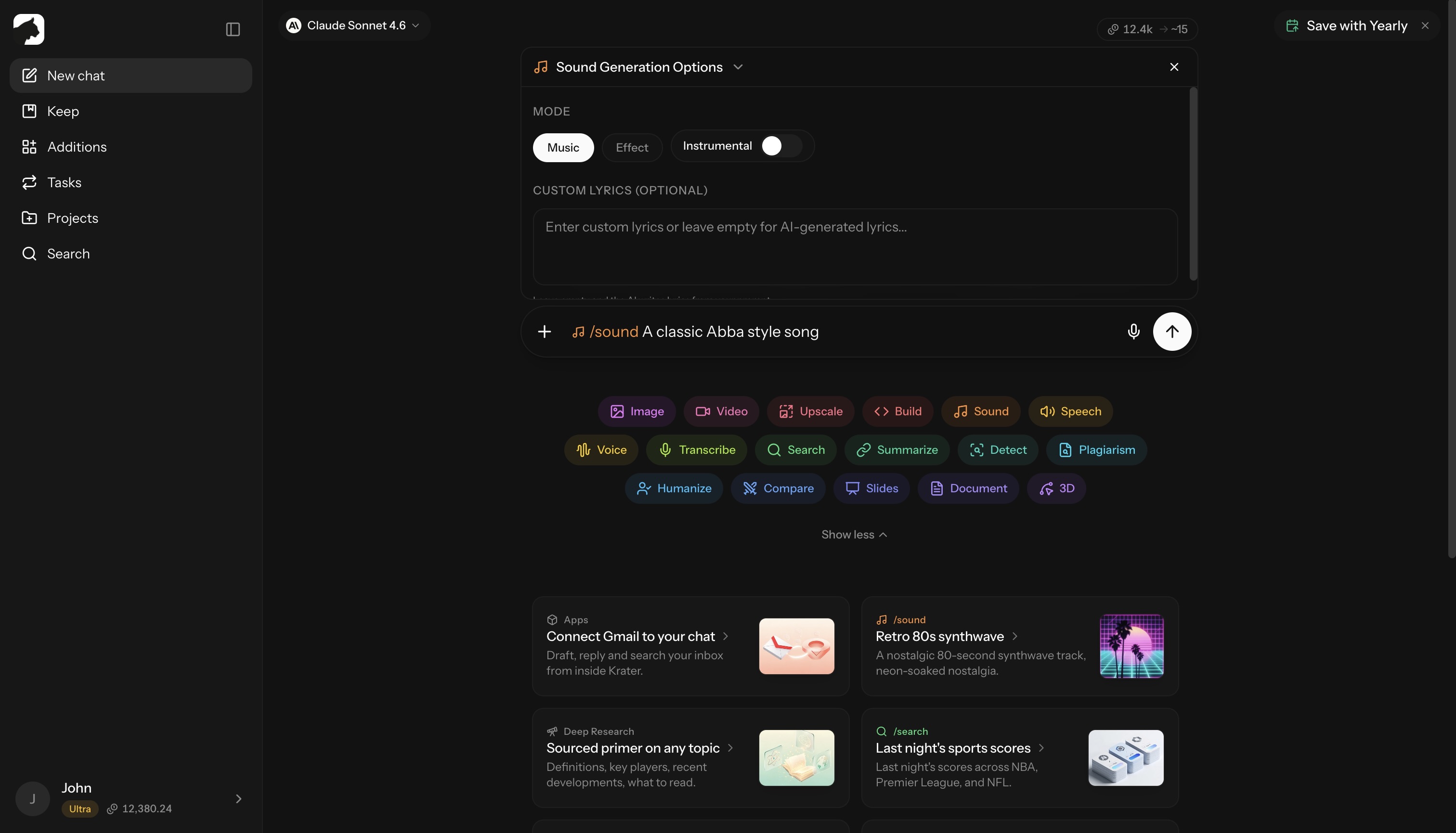
Click the mode toggle in the options panel to switch between Music and Effect before generating. Music is the default.
/sound requires a paid plan (Pro, Ultra, or Max) or a seat on a team workspace — see pricing.
Music mode
Generates a complete song with vocals and instruments. Powered by Sonauto V3.
Music runs in the background — the track starts streaming in the chat player while it is still rendering, and the finished MP3 lands in the conversation when it is done.
Vocals options:
- AI-written lyrics (default) — leave the Custom Lyrics box empty and the model writes lyrics from your prompt
- Custom lyrics — paste your own lyrics into the Custom Lyrics field
- Instrumental — flip the Instrumental switch for no vocals at all
There is no fixed genre picker. Describe the style in your prompt — genre, mood, tempo, era, instrumentation.
Tips for great songs:
- ❌ “A song”
- ✅ “An energetic 80s synthwave track with driving bass and nostalgic vocals”
- Combine styles: “Jazzy lo-fi hip-hop beat”
- For custom lyrics: keep verses and chorus clearly structured, under ~200 words, with
[Verse]and[Chorus]markers
Effect mode
Generates a focused sound effect for videos, games, podcasts, or any project. Powered by ElevenLabs.
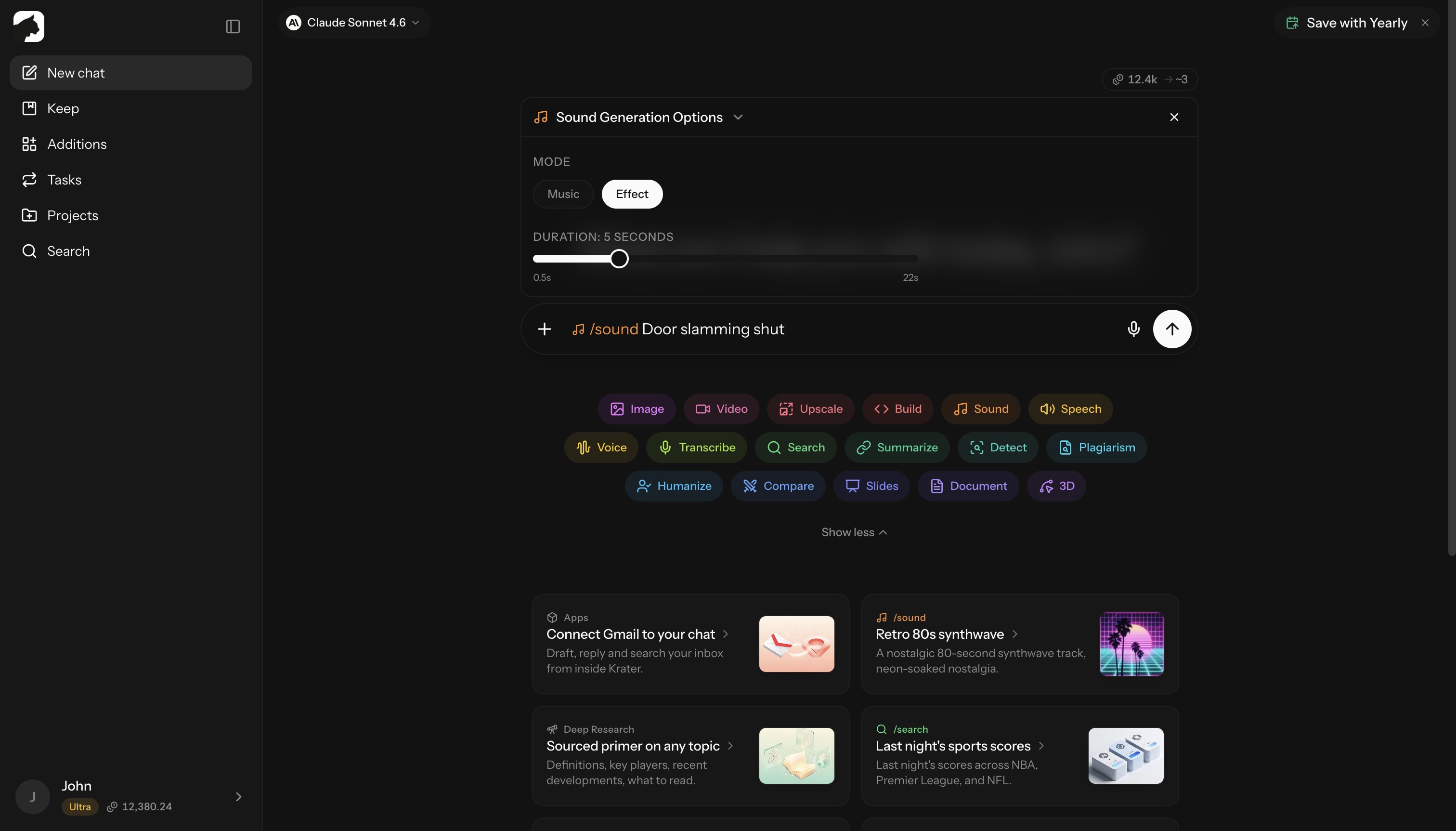
Duration: drag the slider to any length from 0.5 to 22 seconds (default 5 s).
Common use cases:
- Nature — rain, wind, ocean waves, forest ambiance, thunder, fire, birdsong
- Urban — traffic, crowds, construction, sirens, car horns, subway
- Mechanical — engines, machinery, robotics, doors, switches, buttons
- Fantasy / sci-fi — magic spells, laser blasts, alien environments, warp drives
- UI — notifications, button clicks, success chimes, error sounds
Prompting tips:
- Be descriptive about texture: ❌ “Rain” → ✅ “Heavy rain on a tin roof with occasional thunder rumbles”
- Specify mood: “Eerie creaking door, horror movie style” / “Happy cartoon spring sound”
Credits
Credits are reserved up front and refunded automatically if a generation fails.
| Mode | Cost |
|---|---|
| Music — full song | 15 credits flat |
| Effect | ~1 credit per 2 seconds, minimum 2 credits |
Effect cost scales with the duration you pick on the slider (seconds ÷ 2, rounded up, 2-credit floor):
| Duration | Cost |
|---|---|
| Up to 4 s | 2 credits |
| 5 s (default) | 3 credits |
| 10 s | 5 credits |
| 22 s | 11 credits |
Related
- /tts — turn text into speech
- /voice — change the voice on an existing recording
- /transcribe — turn audio into text
More in Slash Commands
- /image — Generate & Edit Images
- /video — Create Videos
- /upscale — Upscale Images & Video
- /build — Generate Apps, Sites & Code
- /tts — Text to Speech
- /voice — AI Voice Transformation
- /transcribe — Transcribe Audio & Video
- /research — Research
- /summarize - Summarize URLs, Videos & Files
- /detect — AI Detection
- /plagiarism — Check Plagiarism
- /humanize - Make AI Text Natural
- /compare — Compare AI Models
- /slides — Generate Presentations
- /document — Create Documents
- /3d — Generate 3D Models